Original User Manual FUXTEC FX-BV140_de_en_fr_ita_rev04
4. ASSEMBLY
4.1 CLIP HANDLE
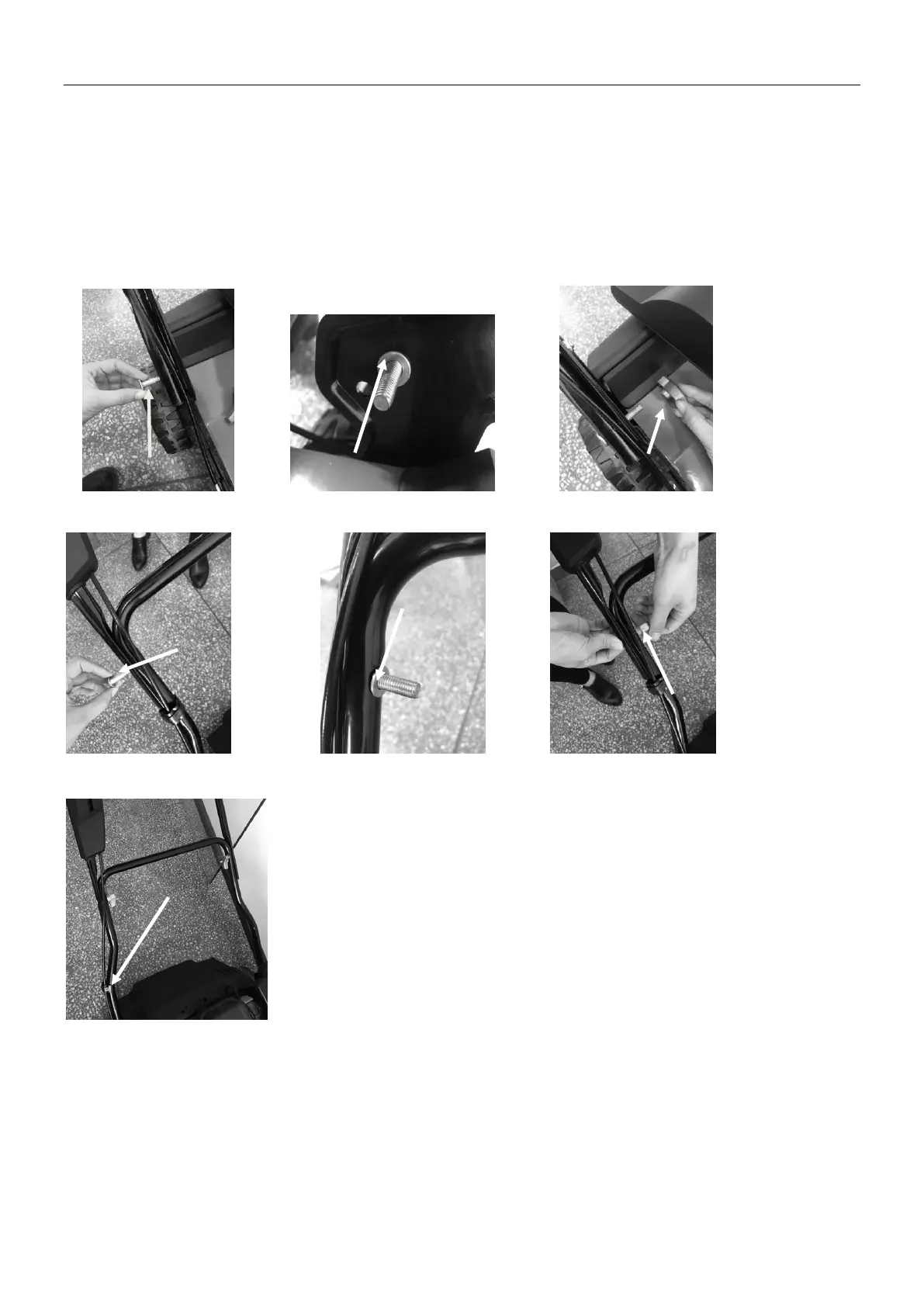
1. Fasten the lower handlebar in the body of the machine using bolts, washers, and locking attachments.
(Fig.2A/ Fig.2B/ Fig.2C)
2. Connect the lower handlebar and the upper handlebar with screws, washers, and locking attachments.
(Fig.2D/ Fig.2E/ Fig.2F)
3. Attach the cable clamps at the marked position and then fasten the cable. (Fig.2G)
Fig.2A Fig.2B Fig.2C
Fig.2D Fig.2E Fig.2F
Fig.2G


 To Next Page
 Loading...