Original User Manual FUXTEC FX-BV140_de_en_fr_ita_rev04
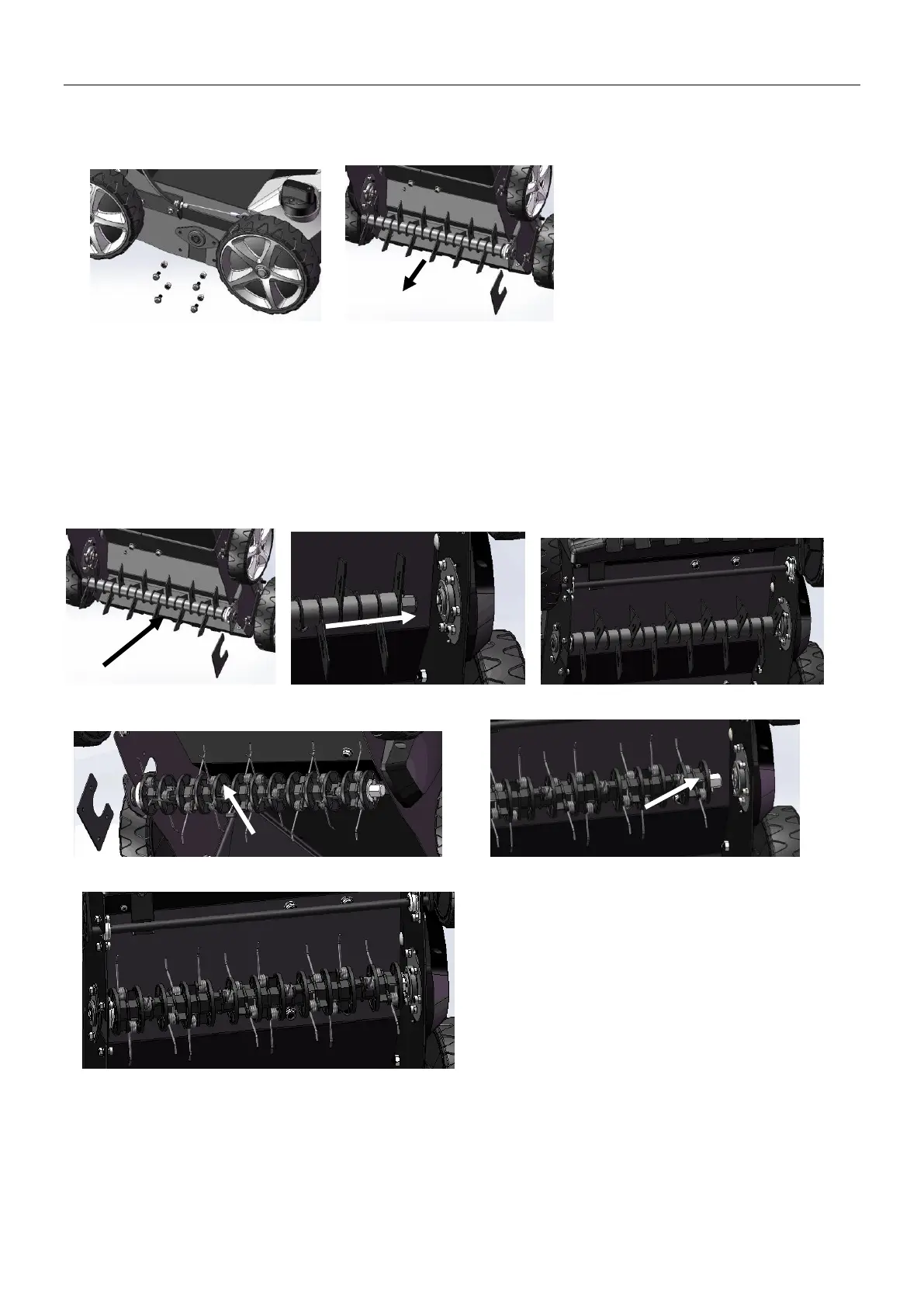
Remove the roller.
1. Remove the four screws. (Fig.11B)
2. Lift the roller and pull it out in the direction of the arrows. (Fig.11C)
Fig.11A Fig.11B
Attach the roller.
1. Push the new roller in the direction of the arrows, insert the shaft into the hexagon socket and press the
other side into the holder. (Fig.11C/ Fig.11D/ Fig.11E).
2. Fasten the roller again with the two screws.
3. Check if the roller is seated correctly.
4. Fix the aerator roller and the scarifier roller. (Fig.11F/ Fig.11G/ Fig.11H).
Fig.11C Fig.11D Fig.11E
Fig.11F Fig.11G
Fig.11H


 To Next Page
 Loading...