-30-
MEMORY
Each measurement is automatically stored in the memory. The memory
has a capacity for 90 measurements. When the memory is full, each
new measurement will erase the oldest stored measurement.
Checking the memory:
• Press the R button to display the average of the last 3 measure-
ments.
• Press the R button again, ‘01’ will appear followed by the results
of the last measurement.
• Press the R button again, ‘02’ will appear followed by the results
of the second-to-last measurement.
• Repeat this for all previous measurements.
Erasing the memory:
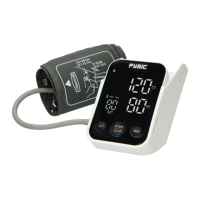
• Make sure to turn on the FB-180.
• Press and hold the R button for approx. 5 seconds until ‘CLr’
appears in the display. All measurements stored in the memory
will now be deleted.
POSSIBLE PROBLEMS AND SOLUTIONSGELIJKE
No reaction when turning on the FB-180:
• Batteries empy? Install fresh ones.
“Err” appears in the display:
• Impossible to pressurize the cuff. Check whether it’s loose and
check the connection between the cuff and blood pressure mon-
itor.
• The air escapes too quickly. If this happens repeatedly, please
contact the service department of Fysic.
• Movement detected during the measurement. Please don’t move
during the measurement.
• Interfering signals near the FB-180. Remove any sources of inter-
ference, such as mobile phones.
• Incorrect measurement value. The cuff is incorrectly attached.
Please attach the cuff again.



 To Next Page