
 Need help?
Do you have a question about the G-Scale Graphics Speed Trap and is the answer not in the manual?
Insert sensor parallel to ties, perpendicular to rails. Adjust position if readings are unrealistic for different equipment.
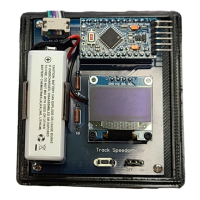
Install 9V battery by removing cover, attaching clip leads, and replacing cover. Red button resets program and lap counter.
Use jumper to turn power on/off. Short button press changes scale; long press resets lap counter.
Reposition sensor off center of rails if readings are unrealistic, keeping it perpendicular.
Details box size, display size, enclosure material, and sensor dimensions for 45mm track.
Covers power source, battery life for NiMH and Alkaline, and sensor type.
Device is for temporary outdoor use during sessions and is not weather-proof; store indoors.
 General
| Brand | G-Scale Graphics |
|---|---|
| Model | Speed Trap |
| Category | Measuring Instruments |
| Language | English |

 To Next Page