To open the G.SKILL Unied Driver System,
go to the system tray and double click on
the G.SKILL icon.
You are now ready to begin.
The G.SKILL Unied Driver System is the
soware system that allows full control
of macros, lighng eects, and various
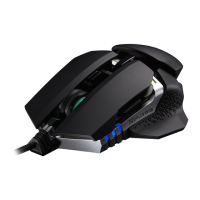
customizaons for your RIPJAWS MX780
laser gaming mouse.
To help you through this manual, here are
some useful key terms to keep in mind:
– Prole:
A full collecon of key sengs and
lighng opons.
– Key:
Refers to a mouse input, such as a
buon press or scroll wheel acon.
Each key may have its own default
funcon, or it can be programmed to
have a customized funcon through
the soware system.
– Macro:
A powerful funcon that allows you
to execute a series of key presses with
the press of a designated buon.
Introduction


 To Next Page
 Loading...