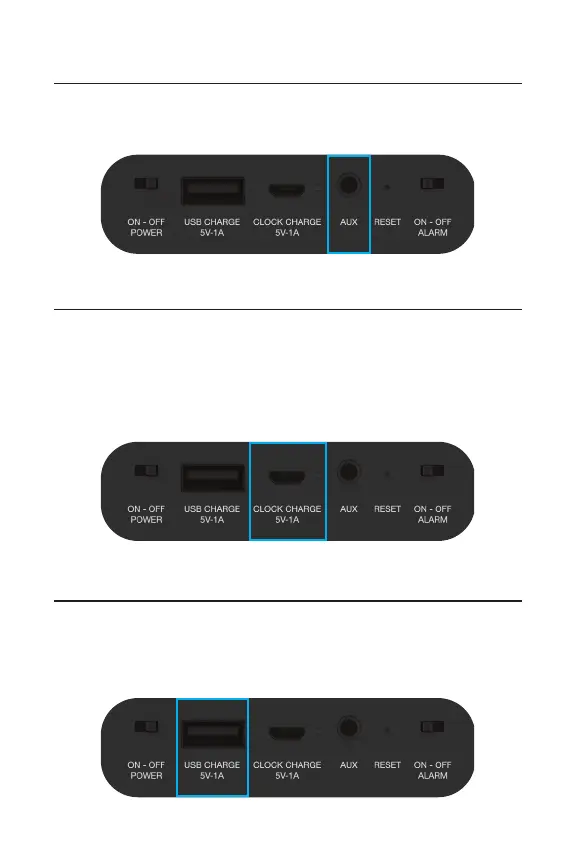
Insert an AUX cable to automatically play music from
any device compatible with an AUX cable.
Insert the included micro USB cable to charge the
alarm clock through the CLOCK CHARGE port.
NOTE: You will need to connect the USB end of the
cable into a wall adapter or computer (not included).
Charge your mobile phone or other portable device
by plugging in your device’s USB charging cable (sold
separately) into the clock’s USB CHARGE port.
AUX
Charging the Clock
Charging Other Devices


 To Next Page