3
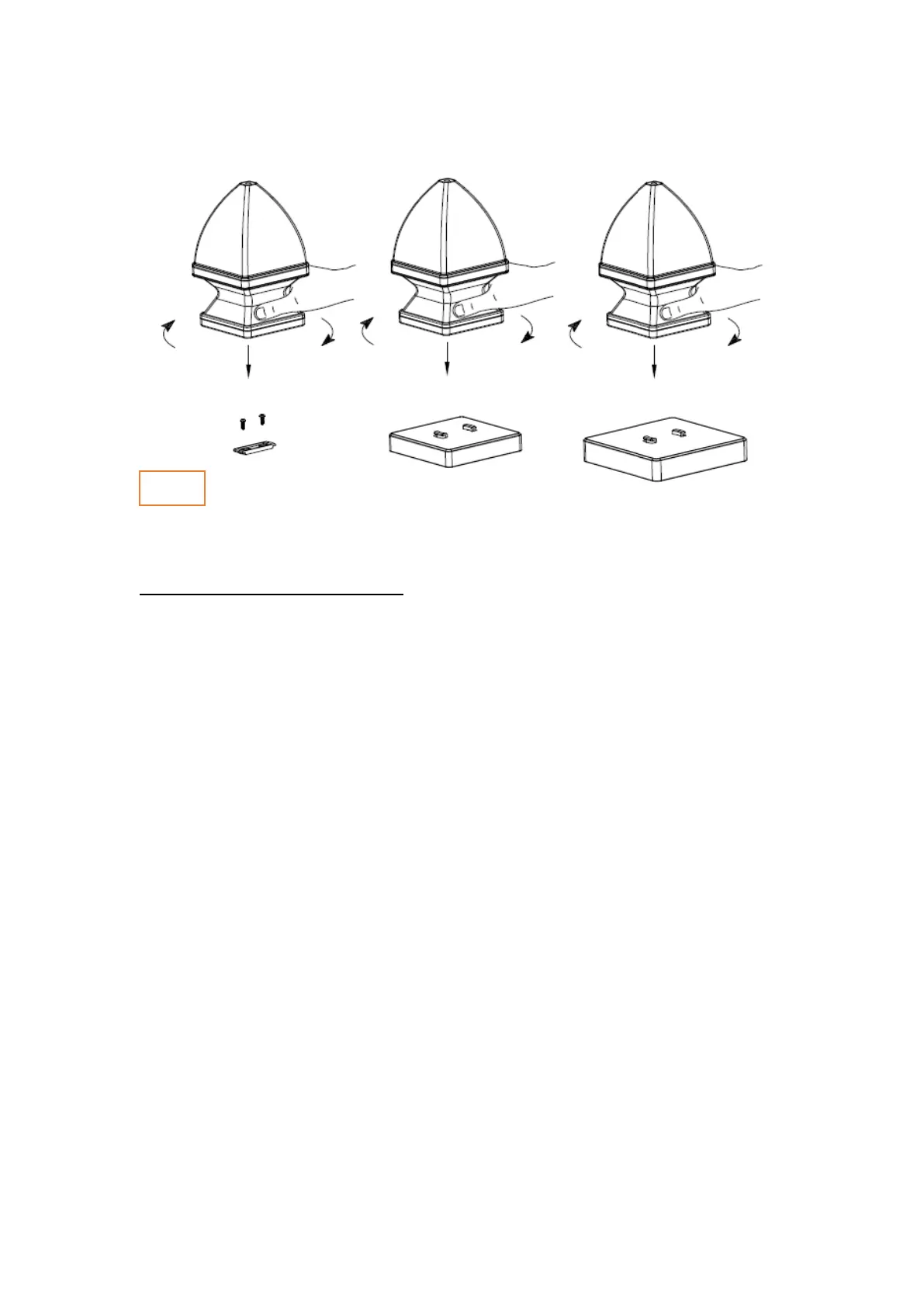
Assembly Instructions (Fig. 4)
You can install the light using the Flat mount (Part C) or using the 4”/5” caps (Part D
or E – sold separately)
Installing the Flat Mount:
1. Locate the center of your surface and place the flat mount (Part C) allowing
the locking wings to engage the post cap base.
2. Attached it using the 2 screws provided.
Installing the 4” or 5” cap:
1. Attached the 4” or 5” cap (Part D or E) to your post according to the post
manufacturer instructions.
Installing the light:
Place the light on top of bracket (Part C, D or E) and turn it clockwise until you
hear the locking click.



 To Next Page
 Loading...