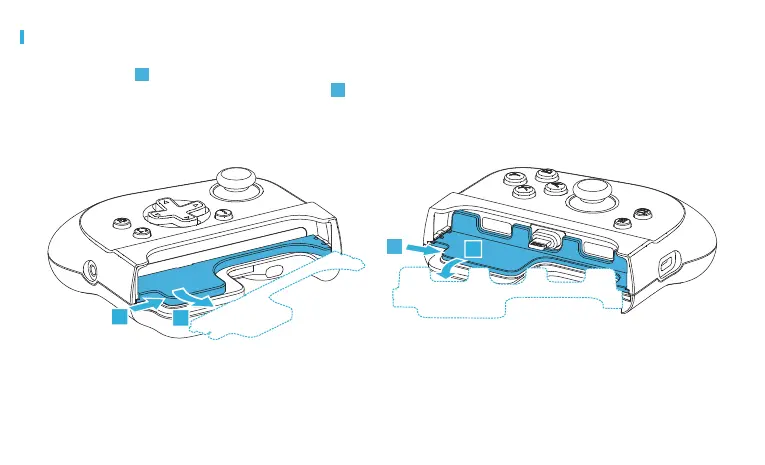
REMOVING CASE ADAPTERS
Push rmly on the corner of the Case Adapter in the location and
direction indicated by 1 below. At the same time, push rmly the
corner of the Case Adapter outward at an angle indicated by 2 to
remove the adapter. The adapter may bend or bow during
removal, which is normal and will not damage the adapter*.
* If the adapter becomes stuck during removal, you may pull rmly on
the adapter until the adapter is released from the controller.
1
2
1
2
1
2
LEFT RIGHT
Visit gamevice.com/ex/adapters for additional troubleshooting help.



 To Next Page