INSTALLING / REMOVING
PHONE
ADAPTERS
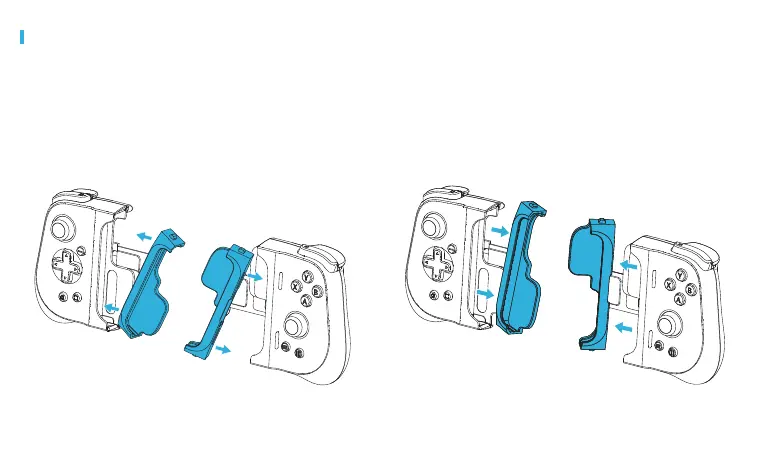
INSTALLING PHONE ADAPTERS
Firmly insert the left side Phone Adapter (without the opening in
the back) into the left side of the controller. Ensure that the sides
of the Phone Adapter are ush with the controller cavity edge.
Repeat for the right side making sure that the Lightning connector
protrudes through the opening in the back of the Phone Adapter.
REMOVING PHONE ADAPTERS
Firmly pull the installed
Phone
Adapter on the left side of the
controller until it is fully removed from the controller. Repeat
for the right side.



 To Next Page