CASE ADAPTERS - ADVANCED FIT INSTRUCTIONS
CASE ADAPTER IS TOO THICK
CASE ADAPTER IS TOO THIN
Try installing a thinner Case Adapter for the appropriate side of
the controller (left or right). For example, if R15A is too thick,
try installing the next lower numbered adapter R10A. If R10A is
still too thick, then try using without any adapter.
Try installing a thicker Case Adapter for the appropriate side of the
controller (left or right). For example, if R15A is too thin, try
installing the next higher numbered adapter R20A. Connect your
phone and ensure that the Status Indicator Ring around the App
Launch button lights up.
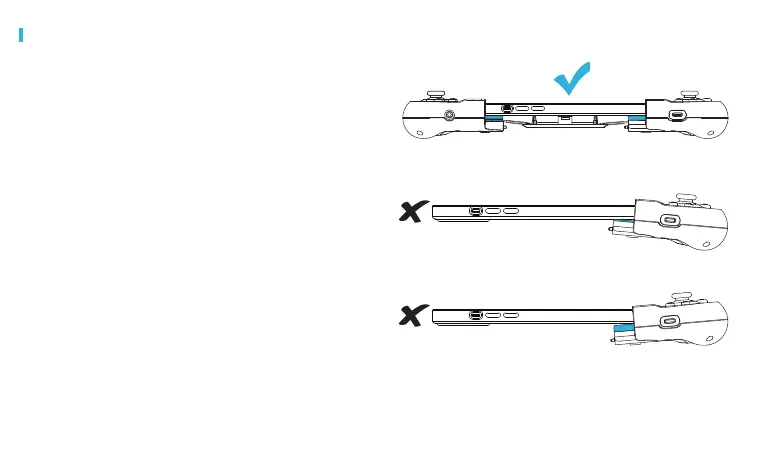
CASE ADAPTER FIT
If you have selected the appropriate Case Adapters for your
protective case, the left and right sides of the controller should be
level with your phone.
Visit gamevice.com/ex/adapters for troubleshooting help.



 To Next Page