8
CONNECTING AND REMOVING YOUR iPad
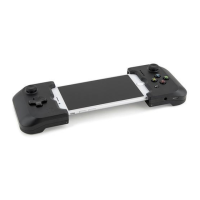
To connect your iPad, first plug into Gamevice’s Lightning
connector, then gently pull the left side of Gamevice out and over
the left side of your iPad to secure it into place.
To remove your iPad, simply hold it in your right hand and with
your left hand gently pull the left side of Gamevice free. Then
unplug from the Lightning connector.
CHARGING VIA LIGHTNING RECEPTACLE
Gamevice provides a Lightning receptacle that supports pass-
through charging of your iOS device using the power adapter
and cable provided with your iPad.
COMPATIBLE GAMES
There are hundreds of Gamevice compatible games. For a full
list, download our app Gamevice Live from the App Store or visit
the Games page on our website at gamevice.com/games.
SOUND
Gamevice’s 3.5mm audio jack can be used with headphones or
as an auxiliary audio output. While using the audio jack, iPad’s
internal speakers will automatically mute, however iPad’s
volume buttons can still be used to manage sound.


 To Next Page
 Loading...