2
*
Battery life may vary based on use
(e.g. number of probes connected etc.)
Battery life:
~168
+
hrs
*
LED INDICATORS EXPLAINED
Green : waiting for connection (not paired)
White : ready to pair (pairing request received from app)
Blue : connected to app (exchanging data with app)
Red : device in alarm (temp. or disconnection)
For powersaving purposes, the device will power
o automatically if idle for more than 4’.
To wake, press main button (pairing) for 3”.
The EYE will light up and a white LED
will start blinking, indicating the
device is ready to pair.
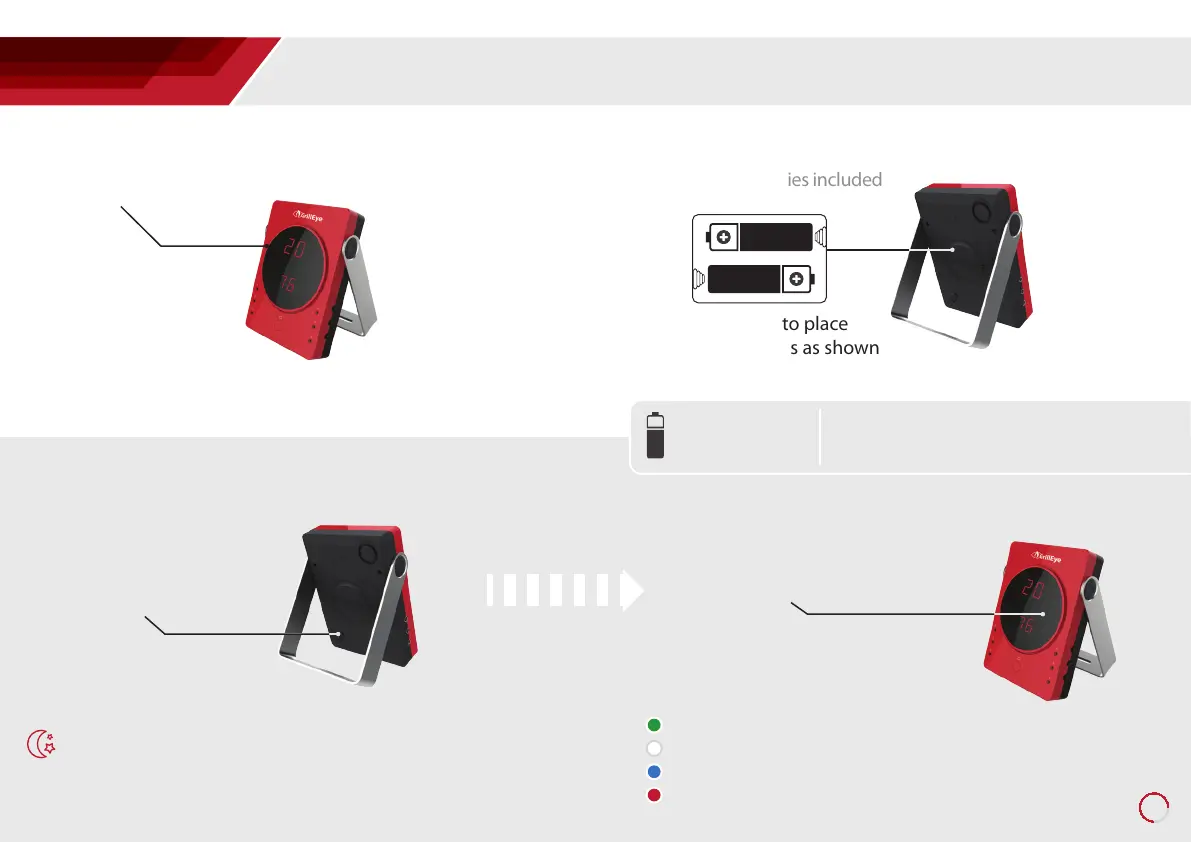
Slide the switch to ON
position.
Power on the device
Slide the power switch
3
2x AA batteries included
Make sure to place
the batteries as shown
Insert batteries
2
enable better view of your GrillEye LED screen
Peel-o screen protector
1
GrillEye® DEVICE
Preparing the GrillEye® for use



 To Next Page