GENERAL
5. By using the drone, you acknowledge, accept, and agree to this Legal Notice and Disclaimer completely.
5.1 Any subsequent onward resale of the drone is subject to you making the new owner or operator of the
drone aware of this Legal Notice and Disclaimer, and the terms of this Legal Notice and Disclaimer will
endure any changes in ownership or legal possession of the drone.
ese warnings and safety precautions are very important; please read the following carefully and follow
the instructions in this operating manual to ensure safety.
Propeller safety
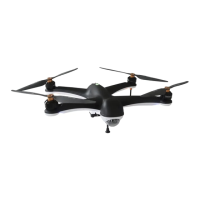
e Gannet Pro’s propeller is very hard and very sharp. e material of their composition is carbon bre.
is material makes the propeller has a high strength and improves the ight of the quad copter.
5.2 When updating the rmware of your ight controller or the aircra’s current problems, make sure
the propeller is removed from the aircra to prevent the propeller from injuring you and others.
5.3 When one of the propellers is damaged, do not y, as the damaged propeller can cause the aircra’s
manipulator to deteriorate or even be unmanageable, which can be very dangerous.
5.4 Make sure the propellers are installed in the correct order and that the propeller retaining clips and
screws are in place.
Precautions
6 is quadcopter can be extremely dangerous and cause personal injury. Be careful when ying and
operating it. Please follow the content of this manual and comply with relevant laws and regulations
when ying.
6.1 Before each ight please ensure that all parts of the aircra are properly installed and that the order of
rotation of the four motors is in accordance with the rotation sequence in this manual. If the wrong
installation or the wrong direction of motor rotation will cause the aircra to be unable to y, and it
may cause damage to the aircra.
6.2 We strongly recommend that you use the simulator for the rst ight. lt is recommended to use the
simulator to practice ying (https://www.realdronesimulator.com/downloads).
When ying, please y in open areas and in no men areas, and understand
the meaning of dierent ight modes.
6.3 e lithium batteries should be taken out of the aircra aer each ight. When not in use for a
long time, the lithium batteries be put into storage mode and should be placed in a reproof container to
avoid accidents. When ying in GPS mode, if you nd that the aircra is ying unstable or uncontrolled.
Switch the ight mode to attitude mode in time, then you can get full control of the aircra to avoid
accidents.
6.4 When you need to y in GPS mode (Green), please make sure that the drone has GPS lock (GPS lock
is green LED status fast ashing 6 times), and that you have sucient satellites to y (slow ashing green
light with no red light ashing). When you have GPS lock, and sucient satellite lock the quad copter
records the current position as the home point, when the return mode is executed, the aircra will
automatically return to the current takeo point and perform an automatic landing.


 To Next Page
 Loading...