Four readings are shown on screen and pressing the Up and Down Keys will scroll up and down to view
the readings. Scroll down to use the SP (Static Pressure) function.
Press the right soft key to begin sampling.
Zero the readings by pressing the Middle Soft Key (Zero).
Press the right soft key to stop sampling.
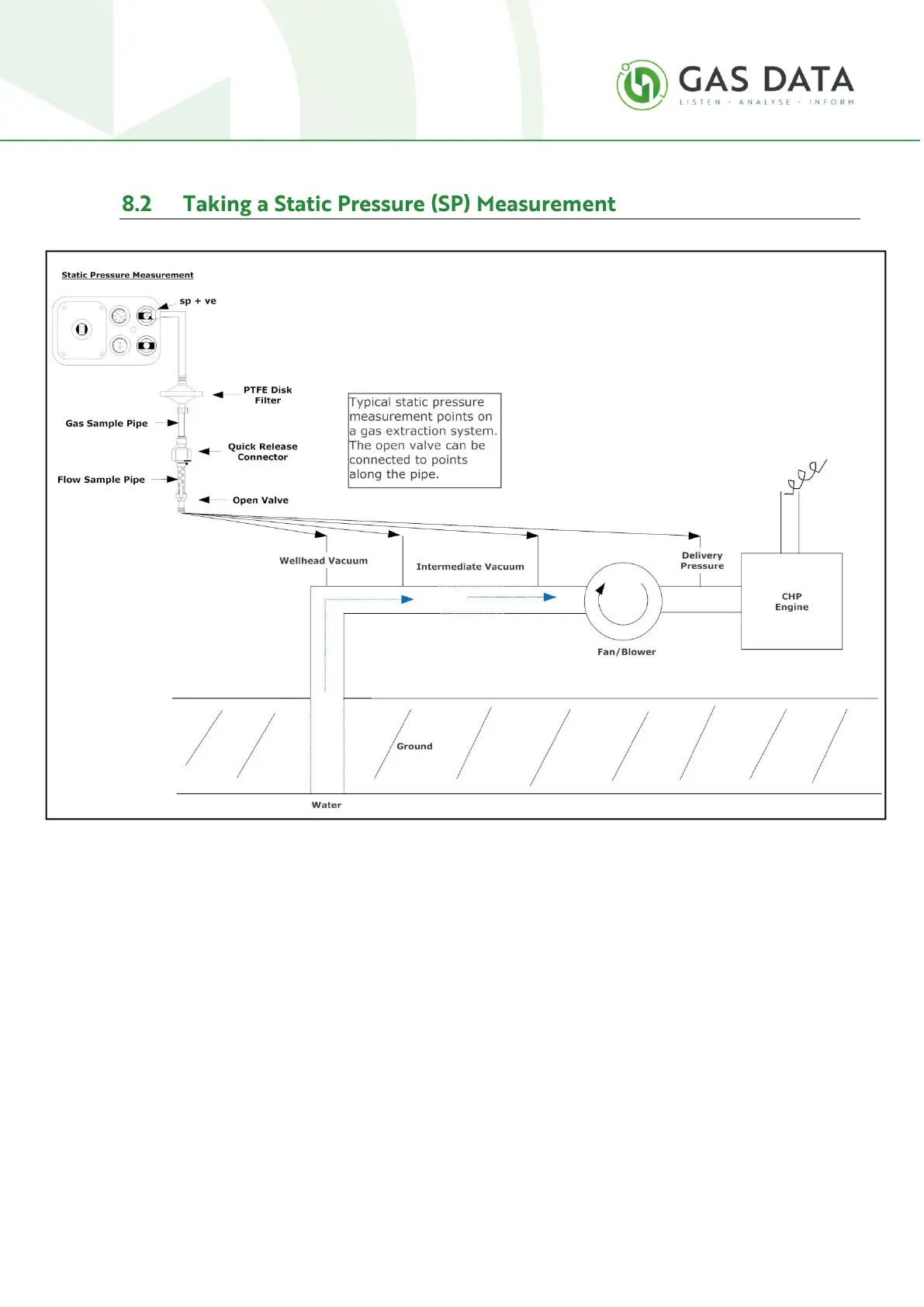
To measure the Static Pressure connect the Flow Sample pipe to the SP connection as shown in the
diagram above.
The flow sample pipe is the section of pipe without the filter. This can be separated from the Gas
Sample pipe at the quick release coupling.
Connect the male fitting to the "SP" connection.



 To Next Page