CHAPTER3: Setting Up and Getting Started
34
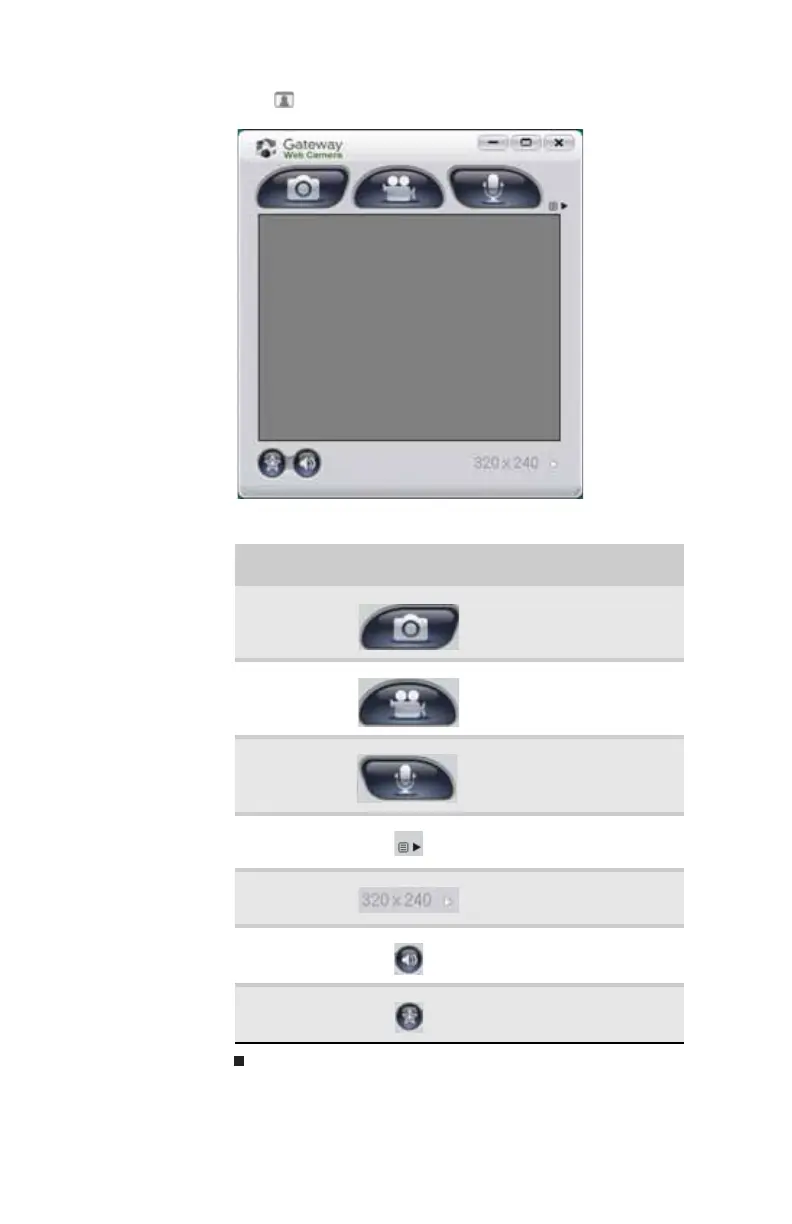
2 Click (Start camera). The Camera Assistant opens.
3 Click one of the following:
Button Icon Description
Snapshot Take a picture of what is
currently in the preview
screen.
Video
recording
Create a video recording.
Audio
recording
Create an audio recording.
Functions Change a setting or access
online help.
Resolution Change the size of the
picture.
Mute Turn audio capture on or
off.
Effects Add a decoration or
border to your picture.



 To Next Page