Operational commands to control the RF section of the radar can be summarized
into 2 functions:
1. Switch RF section ON / OFF
2. Set the frequency channel of the RF section
Command ‘Switch RF section ON / OFF’ controls the RF transmitter output.
When the system is operational, the RF is switched ON. During all other states,
the RF is switched OFF.
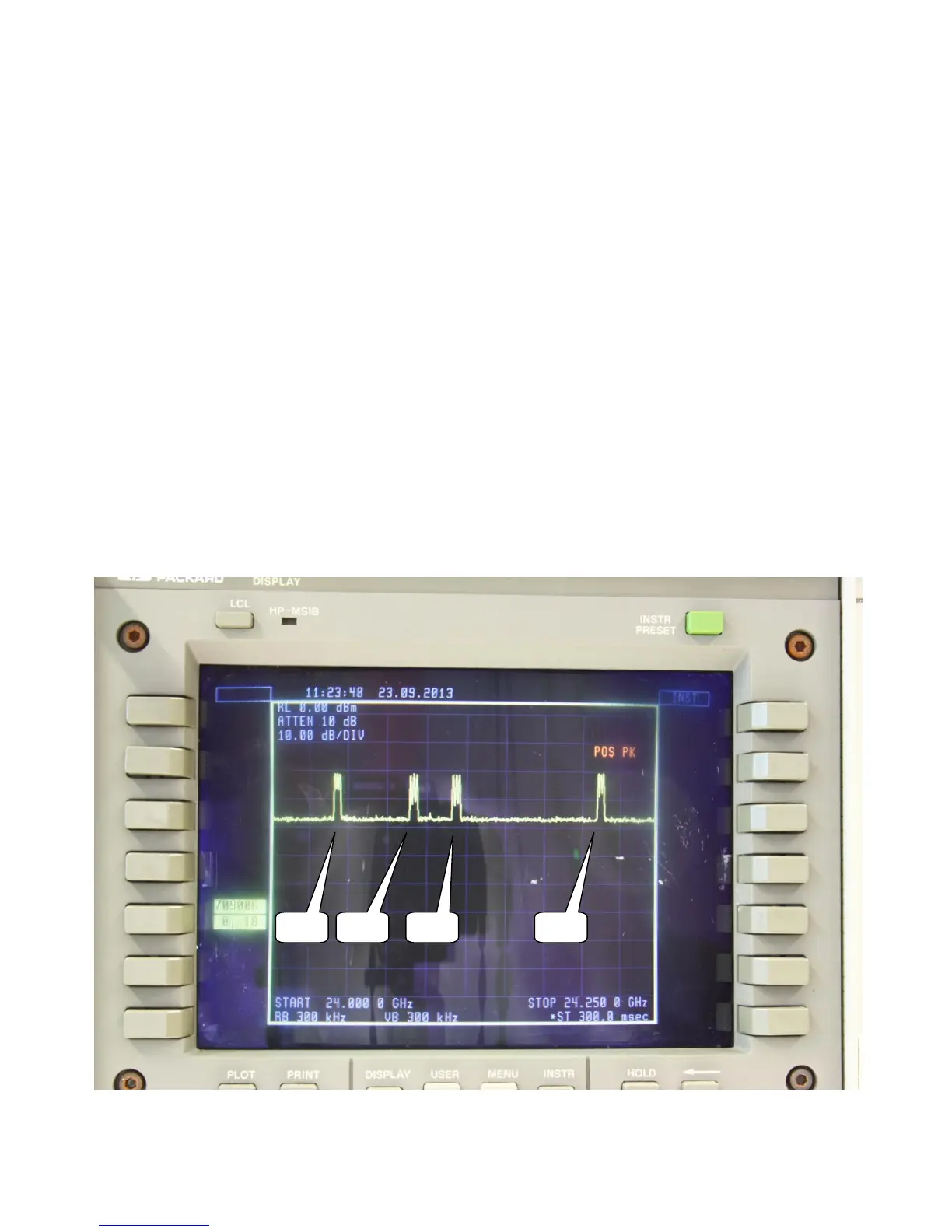
Command ‘Set frequency channel’ will select 1 of 4 available channels of the
transmitter. In the spectrum analyzer output below, the spectrum analyzer was
set for ‘POS PK’. All 4 channels are selected once, so all 4 channels are visible in
one photo. (Note that only one of four channels is used during operation)
Spectrum analyzer setting are visible in the photo.


 To Next Page