EasyManua.ls Logo

GBC KM1000PB - Page 2

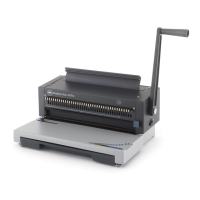
GBC KM1000PB
2 pages
Print Icon
To Previous Page IconTo Previous Page
Loading...
SET-UP
1
Attach
the
handle
to
the
machine
on
the
left
side
and
push
in
firmly
to
secure
PUNCHING
2
T
urn
power
switch
on
(location
on
right
side
of
machine)
Allow
30
seconds
for
motor
to
reach
full
speed
In
cold
weather,
allow
machine
to
reach
room
temperature
before
turning
power
on.
r
y
3
T
h
e
black
dial
on
the
right
side
of
the
machine
is
the
4-position
depth
selector
used
to
vary
the
distance
between
the
punched
hole
and
the
paper
s
edge
from
1
'16*
to
3/16*
This
feature
is
ideal
for
thicker
documents
that
require
wider
margins
for
easy
page
turning
and
more
secure
binding
4
KM1000PB
has
21
disengagable
dies
which
makes
it
possible
to
punch
virtually
any
length
document
To
punch
the
standard
19-hole
pattern
for
1
r
paper,
pull
the
first
die
and
last
die
(Ml
and
#21
on
the
back
punch
diagram)
BINDING
8
The
black
knob
on
the
left
side
of
the
machine
can
be
set
to
lock
in
comb
opening
settings
The
handle
stops
automatically
at
the
same
position
each
time
for
quicker
operation
during
long
binding
runs.
9
Insert
binding
comb
open
side
up.
between
the
tines
of
the
metal
rake
1
4
Insert
paper
vertically,
cover
facing
the
user
I
12
Lay
paper
horizontally
(or
flat),
then
return
handle
to
vertical
position
to
close
comb
4
A
To
revise
a
document,
simply
place
bound
document
into
the
metal
rake
then
repeat
Steps
9
&
10
Remove
or
add
sheets
as
required
Repeat
Steps
11
through
13
SEE
WARRANTY
INFORMATION
ON
BACK.

Related product manuals