EasyManua.ls Logo

gdw SETGDWSP 2 - Components Supplied; Installation Instructions

Default Icon
6 pages
Print Icon
To Next Page IconTo Next Page
To Previous Page IconTo Previous Page
Loading...
à<
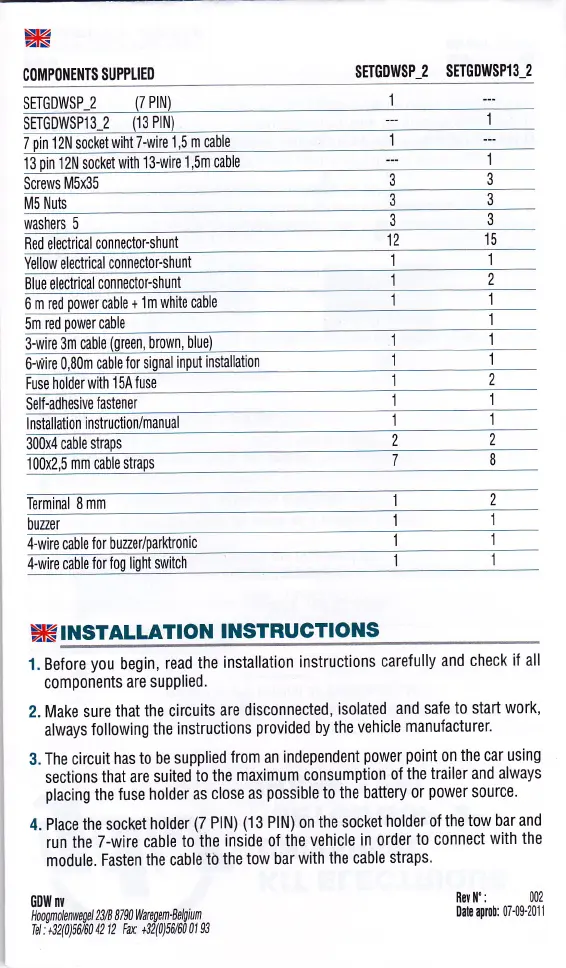
C(lMP(lTIETITS SUPPLIEO
SETGDWSP-z
SEÍGDWSP13-2
13
pin
12N socket
with 13-wire
'l,5m
cable
Screws
M5x35
3
M5 Nuts
washers
5
Red electrical
connector-shunt
15
Yellow
electrical
conneclorshunl
Blue electrical
connector-shunt
6 m red oower cable
+ 1
m white cable
5m
red
power
cable
3-wire
3m cable
brown,
cable Íor
Fuse
holderwith
154
1
SelÍ-adhesive
Íastener
I nstallation
instruction/manual
iOmcemstraps
g
I
Terminal
8 mm
buzer
[wire cabte
Íoi buzer/parktronic
4-wire cable
à<í
TNSTALLATION
INSTRUCTIOI{S
1. BeÍore
you
begin,
read
the
installation
instructions
careÍully
and
check
all
components
are supPlied.
2. Make
sure
that the circuits
are
disconnected,
isolated
and saÍe
to start
work,
always
Íollowing
the instructions
provided
by
the
vehicle
manufacturer.
3.
The circuit
has to be supplied
Írom
an
independent
power
point
on
the
car
using
sections
that are
suited
to the
maximum consumption
the
trailer and always
placing
the
fuse holder
as close
as
possible
to the battery
0r
power
source'
4.
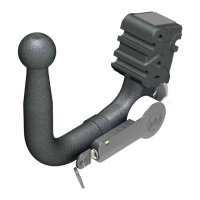
Place the socket
holder
(7
PIN)
03
PIN) on
the socket
holder
the
tow bar and
run the
7-wire cable
to'the
inside
of the
vehicle
in order
to connect
with
the
module. Fasten
the cable
io
the tow bar
with the
cable
straps.
G0Í{
nY
Rer ll":
002
DateaDÍot: 07{$2011
HngÍnlen[f{/d
23lB
87W
fiuegen'Belltun
Td : +32(0)fi160
42 12 Fa +32(0)5il6fr
0l 93