11
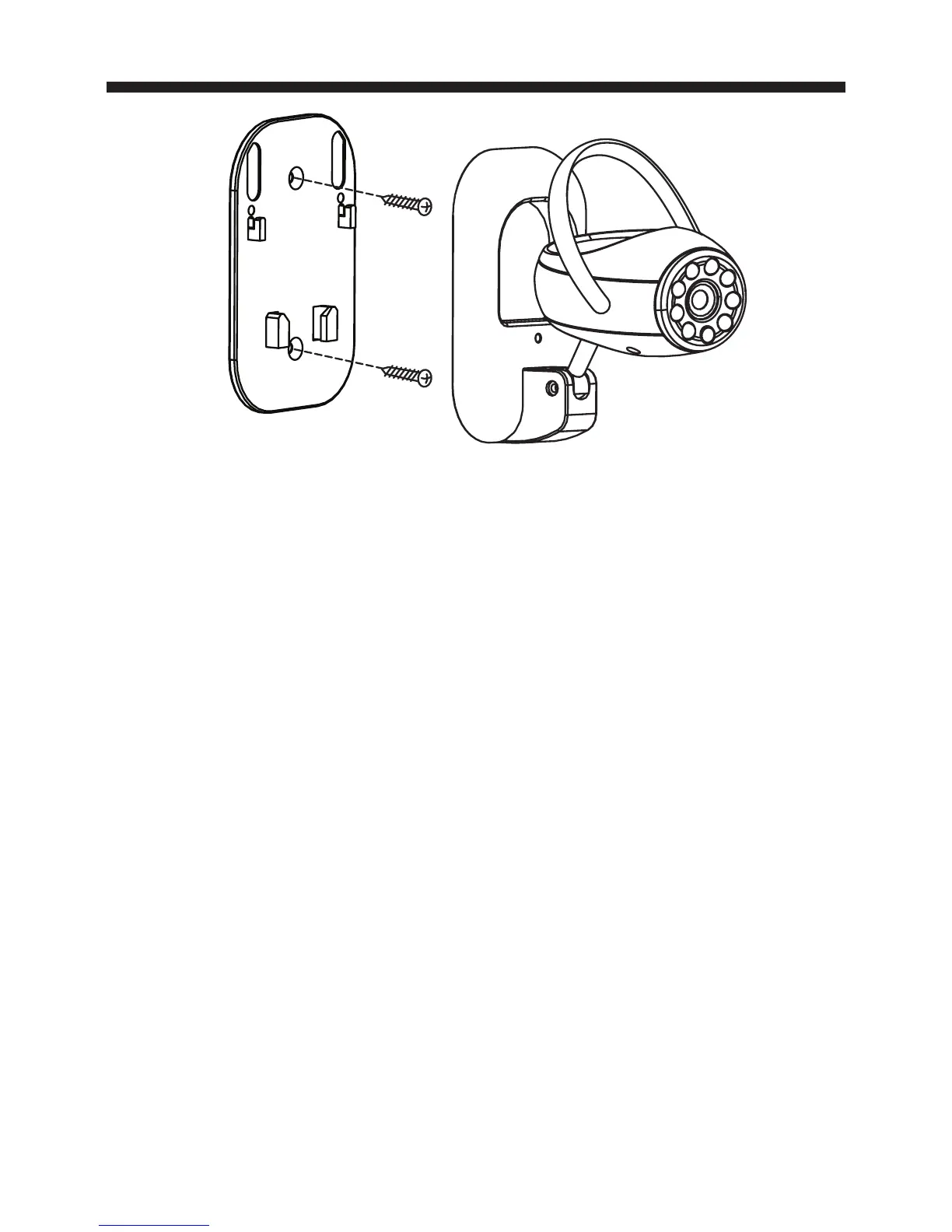
plate to the wall. Do not run the adapter cable
in walls; when securing the cable, do not cut or
puncture.
3. Set Channel switch on camera to 1 or 2. Slide the
camera onto the alignment and locking pins of the
mounting plate. Plug in AC adapter into camera.
4. Adjust antenna and camera angle as needed for
the clearest picture.
USING THE 45234 WIRELESS COLOR CAMERA
SYSTEM WITH A VCR or DVR
You can connect the 45234 camera system to a
VCR or DVR in order to record the images received
from up to 2 cameras. The VCR or DVR must also
be connected a TV/Monitor in order to see live or
recorded images. See diagram on next page.



 To Next Page