pair
button
4. Press and release the ‘pair’
button, located on the bottom
rear part of the camera head.
The monitor will allow 30 seconds
before timing out. If successful,
the camera will be automatically
added and a live video stream
will appear on the display.
ADJUSTING THE SOUND
AND/OR MOTION DETECTION
SENSITIVITY
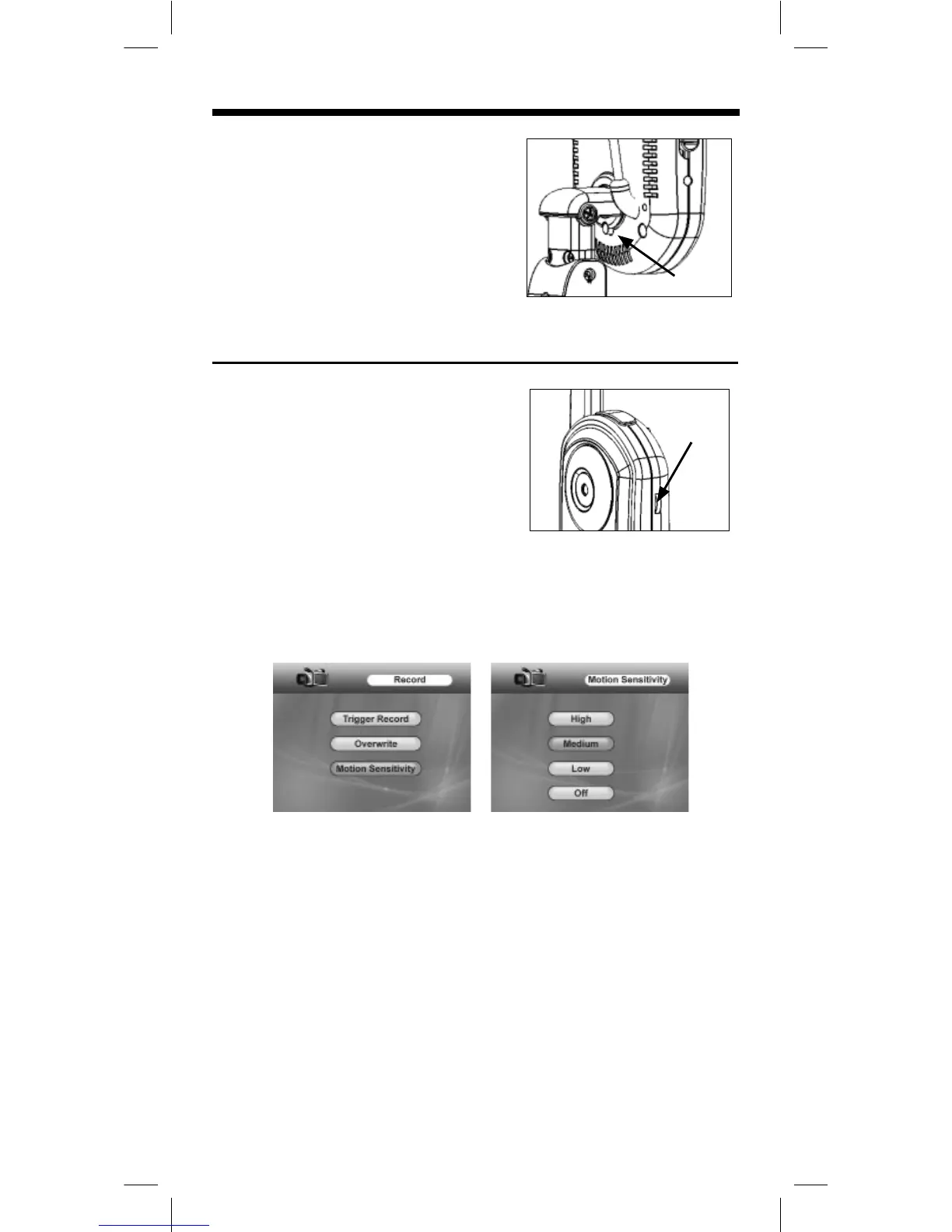
• Sound
1. Identify the ‘sensitivity’ dial and
adjust as shown.
2. Turn the dial completely down to
disable sound detection.
• Motion
1. Press and release the ‘menu’ button on the monitor. Using the
directional keypad, highlight the ‘Record’ option.
2. Press and release the ‘ok’ button. Using the directional
keypad, highlight the ‘Motion Sensitivity’ option.
3. Press and release the ‘ok’ button. Use the directional
keypad to highlight ‘High, ‘Medium’, ‘Low’ or ‘Off’. Press and
release the ‘ok’ button.
4. Press and release the ‘menu’ button to exit.
sensitivity
control


 To Next Page
 Loading...