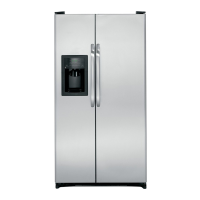
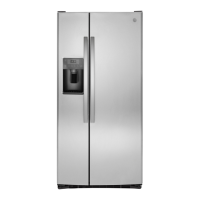
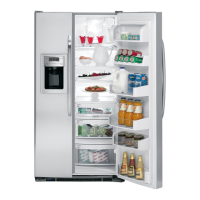
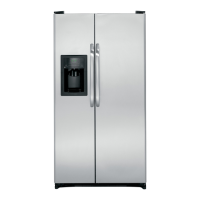
About the controls on the refrigerator.
Your controls will look like one of the following:
FREEZER
Startup Steps for Proper Temperature Control
STEP3_SetFreshFoodControlon"5."
STEP2 SetFreezerControlon"5/'
STEP] WAtT3_2HOURSfortemperatureto stabilize.
STEP/4tfa changeisneeded,movethecontrolonenumberata time
andallow12hoursfortemperaturetostabilize.
( _'_'_,_ i
REFRIGERATOR
0 IS OFF
9 IS COLDEST
NOTE:Turningthe refrigerotorto the0 (off!settingviothe controlsdoes
notshutoffelectricalpowerto therefrigerator.
Controlsettingswill vorybosedonpersonolpreferences,usogeond
operotingconditionsondmoyrequiremorethononeodjustment.
About Energy Smart TM Models Controls
EnergySmartTM islocatedon the controlsof models
equippedwith the feature,asshown inthe image.
What Energy Smart TM Does
If the ACH(ApplianceCommunicationHodule)isconnected
to yourrefrigerator and isreceivingutility roteinformation,
then EnergySmartTM feature altersthe performance
of the refrigerator.It minimizesenergyconsumption
whendirected bytheNucleusTM (separatelypurchased
device)or SmartHeter.TheEnergySmartTM feature can
causechangesin refrigeratoror freezercomportment
temperaturesandcan causechangesin the roteof ice
cubeproduction.
Energy Smart TM Override
Pressthe EnergySmartTM padfor 3 secondsto J_'_(]_l
overridetheEnergySmartTM feature.TheLED Ls_r__,._
abovethepadwillflashmultipletimestoconfirm ,_ 3_,,,=,_,_,,-_
a successfuloverrideof the feature.Thiswilt
disablethefeaturefromalteringtheperformanceofyourunitfor 18
hours.Eighteenhoursafterthefeaturehasbeendisabled,theEnergy
SmartTM teaturewill continuenormaloperation.
To Change Temperature Control Setting with Touch Pads:
• Freezersettingison the left sideofthe disploy.
• Refrigeratorsetting is onthe right side of the display.
- Pressthe Wormer or Colderpad for comportment and
direction desired.
- Presentcontrol setting numberwill illuminote.
- Eachtime the pad istouched,comportmentsettingchanges
one number.
Adisplayof 1 iswarmest and 9 isthe coldestsetting.
To Turn Cooling Off:
Tostopcoolingin the refrigerator ondfreezercompartments,first
repeatedlypressthe Wormerpad for thefreezeruntil its display
continuouslyfloshes":1".Then,usingthe refrigerator control,
repeatedlypressWormeruntilboth displaysflash "0"."0" in both
displaysturns off the coolingsystem.Onsome models,it may be
necessaryto set onlyonecontrol to 0 to turn off coolingin both
comportments.
NOTE:Turningthe refrigeratorto the 0 (off)settingviathe controls
doesnot shutoff electricalpowertothe refrigerator.
Controlsettingswill voryhosedon personolpreferences,usogeond
operotingconditionsond moy requiremorethon oneodjustment.
®
Adjust Ternperoture
(WrJrmer_ _ (Warmer _ _rboOCool_
Flit e ate rush ube irk I
Loc
@
Locking the Dispenser (onsome models)
k°cJ('-L'k--, _ Pressthe Lockpad
for 3secondsto lockthe
dispenserand control panel.
.o__..... _, To unlock,pressand hold
the keypadsagainfor 3 seconds.
Thetemperaturecontrolsare presetin the factory at 37°Ffor the
refrigerator comportmentand 0°Ffor thefreezercompartment.
Allow24 hoursfor the temperotureto stobilizeto the preset
recommendedsettings.
Thetemperaturecontrolscondisplayboththe SETtemperatureas
wellostheactuoltemperotureintherefrigeratorond freezer.The
actualtemperaturemayvaryslightlyfromthe SETtemperaturebased
on usogeandoperatingenvironment.
6
Settingeitheror both controlsto OFFstopscoolingin boththe freezer
and refrigeratorcompartments,butdoesnotshutoffelectricalpower
tothe refrigerator.
NOTE:The refrigeratorisshippedwith protectivefilm coveringthe
temperaturecontrols,if thisfilm wasnot removedduringinstallation,
removeit now.



 To Next Page
 Loading...