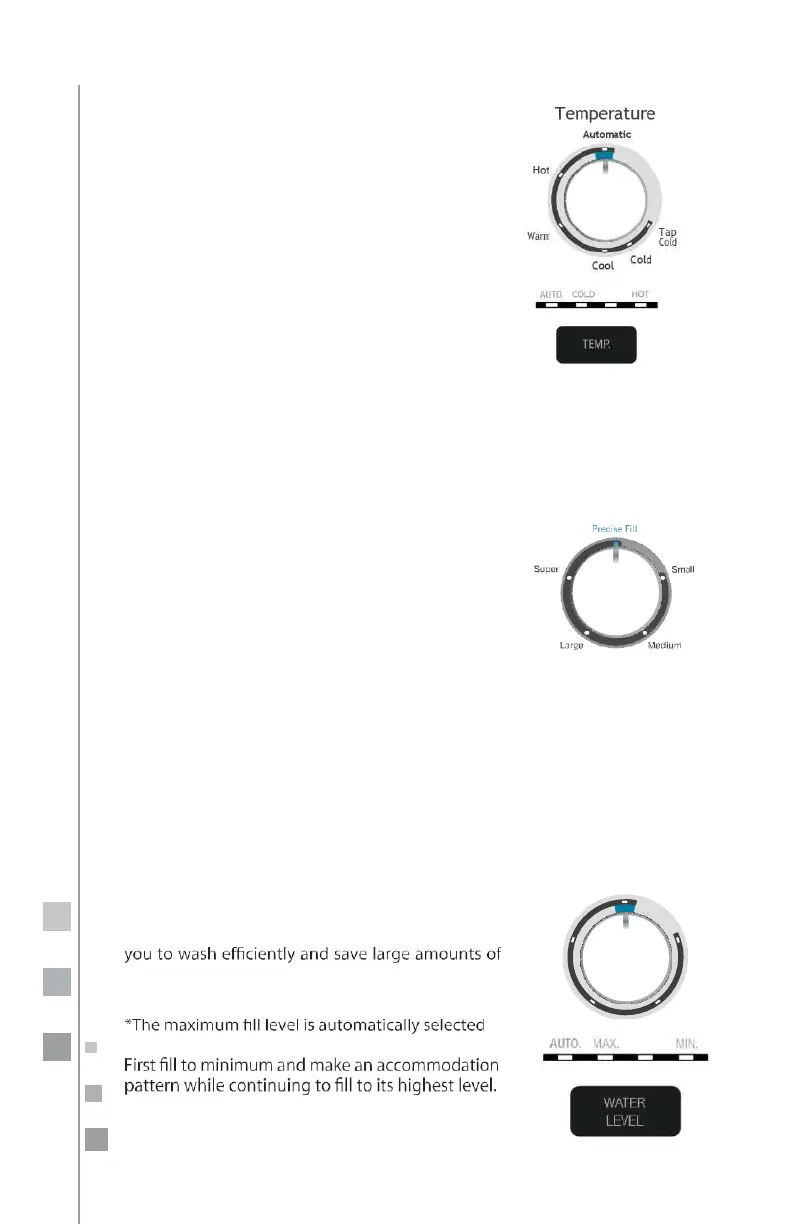
Selecting temperature
Manual mode:
Turn the knob(knob model) or
press the temp button (digital) to select the
right temperature for the type of clothes you are
going
to wash.
Automatic mode:
The wadher has an
automatic
sensor
position, where the washer automatically
selects the right temperature based on the
program.
If you prefer, select the temperature according
to
your needs.
For best results in washing and caring for your
clothes, we suggest you use automatic or follow
the instructions on the fabric label.
Load Size
Models: MCL2040PSBB, MCL2040PSDG,
MCL2040ESBB, MCL2040GSBB, CLGG70214BAB,
MCL2040ESDG, ICL2040PSDG, MCL2040PWBB,
MCLC2040PSDG, MCLC2040GSBB, MKTG15DNAWB,
CLME70204BBB, CLMG70204BBB, CLMG70204DBB.
Automatic:
This load selection allows the system
to automatically calculate the amount being
washed.
Maximum: This load selection is when you are
washing the largest amount allowed.
Minimum: This load selection is when you are
washing the least amount allowed.
Water Level
Models:
CLME77014DFU, MCL2040EEBBY,
MCL2040EEDGY, CLME77014BFU, MCL2040EPDGY.
Manual mode:
Turn the knob to select the water
level according to the amount of laundry to be
washed.
Automatic mode:
This washing machine has an
automatic water sensor option, which will allow
water, assigning the ideal amount for each load of
laundry.
in the bulky cycle.
Max
Water Level
Automatic
n
We recommend that you always use the automatic
option.


 To Next Page