Timed Baking
Wall Oven
Using the
timed
baking and
roasting
features
NOTE:Foods that spoil easily, such as milk, eggs,
fish, stuffings, poultry and pork, should not be
allowed to sit for more than ! hour before or after
cooking. Room temperature promotes the growth
of harmful bacteria. Be sure that the oven light is
off because heat from the bulb will speed harmful
bacteria growth.
On double oven models, you can use timed
baking in one oven while using self-clean in the
other; you can also use timed baking in both
ovens at the same time.
How to set
an immediate
start and
automatic
stop
Theoven will turn on immediately and cook for a
selected length of time. At the end of the cooking
time the oven will turn off automatically.
Hake sure the oven clock shows the correct time
of day.
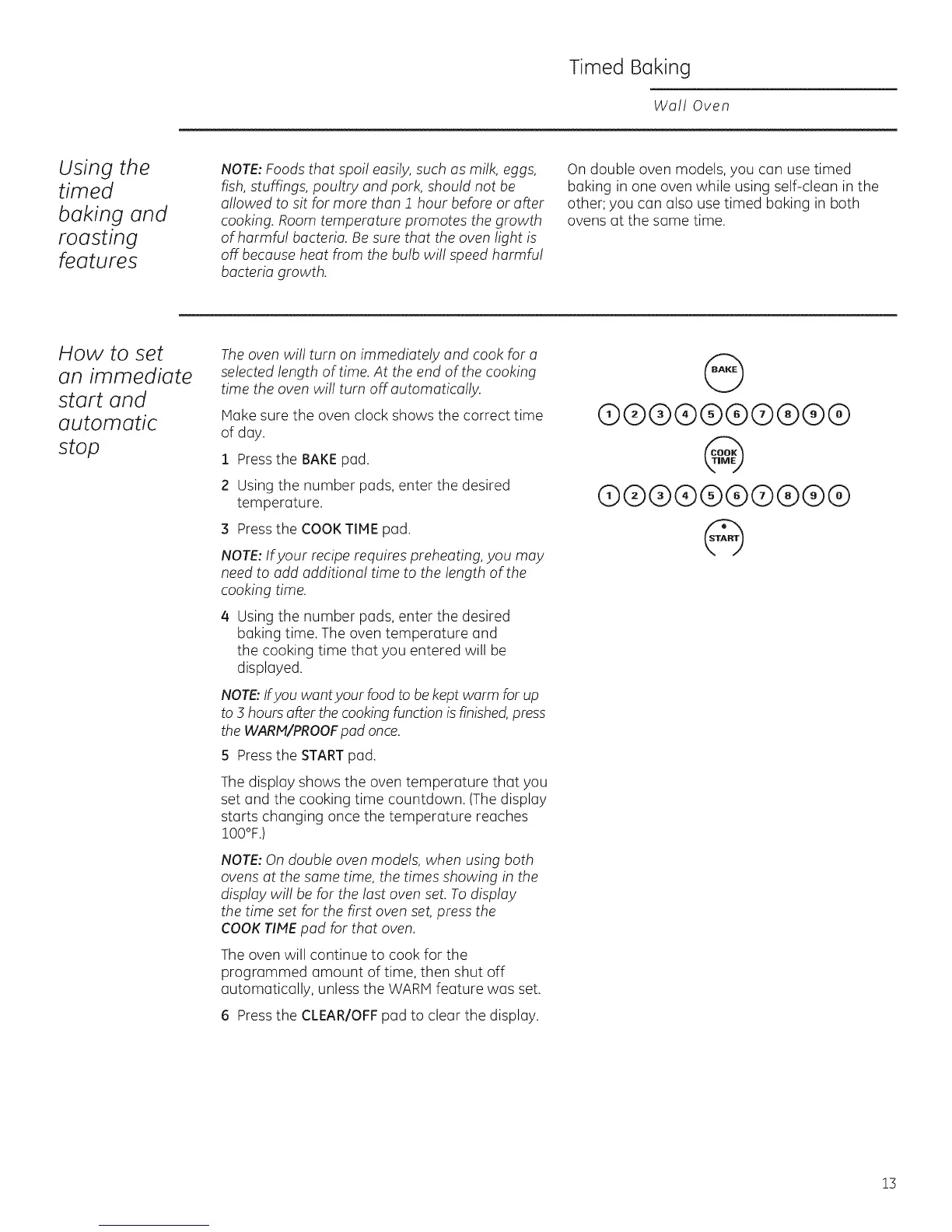
1 Pressthe BAKEpad.
2 Using the number pads, enter the desired
temperature.
21Pressthe COOK TIME pad.
NOTE:Ifyour recipe requires preheating, you may
need to add additional time to the length of the
cooking time.
/4 Using the number pads, enter the desired
baking time. The oven temperature and
the cooking time that you entered will be
displayed.
NOTE:Ifyou want your food to bekept warm for up
to 3 hours after the cooking function is finished,press
the WARM/PROOFpad once.
5 Pressthe STARTpad.
The display shows the oven temperature that you
set and the cooking time countdown. (Thedisplay
starts changing once the temperature reaches
!00°F.)
NOTE:On double oven models, when using both
ovens at the same time, the times showing in the
display will be for the last oven set. To display
the time set for the first oven set,press the
COOKTIMEpad for that oven.
The oven will continue to cook for the
programmed amount of time, then shut off
automatically, unless the WARM feature was set.
6 Pressthe CLEAR/OFF pad to clear the display.
@
@@@@(9@@@@@
@
®®@®®®®®®@
@
!3







 To Next Page