5
NOTE:
1. This type of battery should last for many years and normally
should not need replacing.
2. We recommend that the battery be charged for about 2 hours
before the system is used for the first time.
3. Place the headset in a charging cradle in the Transmitter /
Charger base. Verify that the red LED charging indicator is ON.
When the battery is fully charged a green LED turns on.
4. If the headset is placed in the charging cradle a green LED
turns on it means that the headset still has ample charge to
operate normally and there is no need to charge it.
5. It is not possible to overcharge the battery. We recommend that
the headset be placed in the charging cradle when not in use.
BATTERY WARNINGS
z Do not attempt to change or remove the battery
z Do not dispose in fire
z Keep away from children
z Do not short circuit the charging terminals in the
bottom of the headset.
Note: This series of CL7160 products comes in 2 model variations
and spare headsets as below. This Instruction Manual covers all
of them.
1) CL7160 Wireless Single Headset System
2) Extra Wireless Headset
PRODUCT CONTENTS
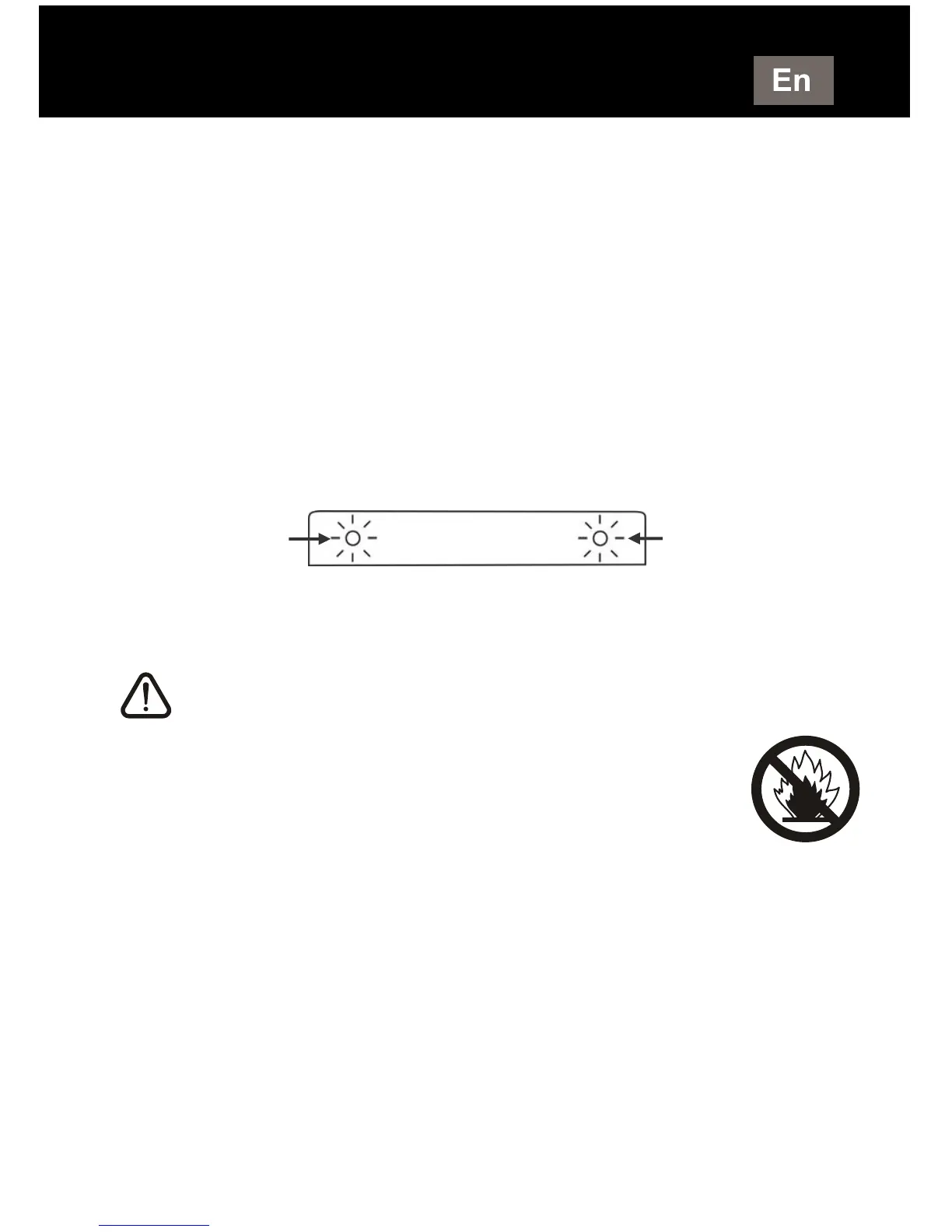
Right cradle
charging Indicator
(Red/Green)
Left cradle
charging Indicator
(Red/Green)



 To Next Page