EasyManua.ls Logo

Geemarc PhotoDECT295 - User Manual

Geemarc PhotoDECT295
2 pages
Print Icon
To Next Page IconTo Next Page
Loading...
1 2 3
USER GUIDE
!!! Please refer to our website: www.geemarc.com for an up to
date user guide, as there may be important updates and changes
you need to be aware of !!!
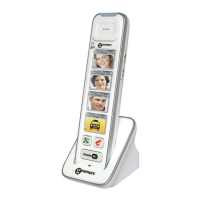
Congratulations on purchasing your Geemarc PhotoDECT295
handset, which provides an additional handset for use with
our AMPLIDECT295 and AMPLIDECT COMBI 295
phones.
The Geemarc Photodect295 handset offers all the
advantages of cordless
technology (compliant with Digitally
Enhanced Cordless Telecommunications DECT standard),
and is hearing aid compatible.
CAUTION: Only use the battery pack provided. There may be a
risk of explosion if a wrong type of battery is used in the handset.
Do not subject the battery to extreme high or low temperatures, or
low air pressure at high altitude during use, storage or
transportation. Disposal of battery back into fire or a hot oven, or
mechanically crushing or cutting the battery can result in an
explosion. Subjecting the battery pack to an extremely high
temperature environment, or extremely low air pressure can
result in an explosion, or leakage of flammable liquid or gas.
Normal operating temperature for the product ( 0
o
C ~ 40
o
C).
Use only the power adapter and battery pack supplied, as listed
below.
Power adapter: output: 6V DC 0.45A, 2.7W. Vtech
Telecommunications Limited.
Model: VT05EEU06045 (EU), VT05EUK06045 (UK)
Rechargeable Battery Pack: Model: NI-MH AAA500 x 2.
2.4V, 500mAh. Corun.
PACKAGE CONTENTS
1 cordless handset, 1 Power adapter, 1 pod (Charger), 1 NiMh
battery pack, 1 User guide.
The following steps are required to install, setup and use the
PhotoDECT295:
STEP 1 INSTALLATION
Connect the pod (charger)
Connect the cable from the power adapter to the small round
socket on the base of the pod. Then plug the power adapter into
a mains electrical outlet socket.
Note: Only use the power adapter supplied with this phone!
Pod Connection Battery charging or
Handset Registration
Connect the battery pack
Remove the battery cover from the
handset. Connect the short lead
from the battery pack to the socket
inside the battery compartment.
Carefully fit the battery pack as shown.
To replace the battery cover, carefully align it flat against the
battery compartment, then slide it towards the centre of the
handset until it clicks into place
Charge the handset battery pack
To charge the battery pack, place the handset on the pod
(charger).
Note: Charge the battery pack for at least 16 hours when
charging for the first time.
STEP 2: REGISTRATION
Note : YOU WILL NEED TO REGISTER THIS HANDSET WITH
A BASE STATION FROM ONE OF THE FOLLOWING PRODUCTS
: DECT BASE (AMPLIDECT COMBI 295 or
AMPLIDECT295).
STEP 2: REGISTRATION
Register the Handset
In order to function, the PhotoDECT295 handset has to be
registered with the AMPLIDECT295 or AMPLIDECT COMBI 295
base station.
First place the base station of the AMPLIDECT295 or
AMPLIDECT COMBI 295 in Registration mode
- refer to the AMPLIDECT295 or AMPLIDECT COMBI 295 user
guides on how to do this.
PhotoDECT295 handset: Place the handset in the pod. The
Charging/Booster/Registration LED (3) flashes RED to show
registration in progress.
Registration can take up to 60 seconds. A confirmation tone is
heard when registration is complete.
Repeat the procedure above if the handset remains
unregistered.
Once charging and registration is complete, it will be possible to
use the PhotoDECT295 to dial a pre-set number using one of its
four photo speed dial keys, and to receive phone calls.
NOTE: The PhotoDECT295 Photo Speed Dial Keys (4) use the
direct memory numbers (M1 M4) that are stored in the base
station of the AMPLIDECT295 or AMPLIDECTCOMBI 295.
These numbers are programmed with the regular handset
provided with the AMPLIDECT295 or AMPLIDECT COMBI 295.
Refer to the DIRECT MEM section of the user guides for the
AMPLIDECT295 or AMPLIDECT COMBI 295 on how to
programme the direct memory numbers (M1 M4).
STEP 3: IN USE
Once the handset is charged and registered, it will be possible to
dial one of 4 pre-stored numbers (M1 M4) using the photo
speed dial keys (4), and to receive calls.
How to Make a Phone Call
The PhotoDECT 295 handset has 4 photo speed dial keys (4).
To make a call, remove the handset from the Pod and press any
of these to dial a pre-stored number stored in the PHOTO and
DIRECT MEMORY (M1-M2-M3-M4) keys of the AMPLIDECT295
or AMPLIDECT COMBI 295.
The [R/TALK] button (5) shows GREEN when the handset is in
earpiece mode.
How to Receive an Incoming Call
If the handset is on the pod: Remove the handset from the pod,
the call will automatically connect through the handset, and the
[R/TALK] button (5) will show GREEN. If the handset not on the
pod: Press the [R/TALK] button (5) to take the call. The [R/TALK]
button (5) will show GREEN.
To finish the call, press the red [OFF] button, or place the
handset back onto the pod.
NOTE: To make and receive calls, the PhotoDECT295 has to be
registered to the base station of the AMPLIDECT295 or
AMPLIDECT COMBI 295.
See Step 2. REGISTRATION.
How to Adjust the Handset Volume
During a call, you can increase or decrease the sound level of
the handset earpiece by pressing the [VOL +] (12) and [VOL -]
(13) buttons at the side of the handset.
[VOL +] (12) increases the volume.
[VOL -] (13) decreases the volume.

Question and Answer IconNeed help?

Do you have a question about the Geemarc PhotoDECT295 and is the answer not in the manual?

Overview

The Geemarc PhotoDECT295 is a cordless handset designed to be used as an additional handset with the AMPLIDECT295 and AMPLIDECT COMBI 295 phones. It utilizes Digitally Enhanced Cordless Telecommunications (DECT) standard technology and is hearing aid compatible.

Function Description:

The primary function of the PhotoDECT295 handset is to provide an additional means of making and receiving phone calls when registered to a compatible Geemarc base station. It features four photo speed dial keys that allow users to dial pre-stored numbers (M1-M4) from the base station's direct memory. The handset supports a Booster mode, which amplifies the listening volume up to 30dB for users with hearing difficulties. It also includes a speakerphone function for hands-free communication.

Important Technical Specifications:

  • Frequency: 1.88 GHz to 1.9 GHz
  • Number of Channels: 10
  • RF Power: < 250mW
  • Charger Input: 100-240V 50/60Hz
  • Charger Output: DC6V 0.45A, 2.7W adapter
  • Handset Battery: 2.4V, 500mAH rechargeable NiMh battery pack (Model: NI-MH AAA500 x 2)
  • Power Adapter: Output: 6V DC 0.45A, 2.7W (Vtech Telecommunications Limited, Model: VT05EEU06045 (EU), VT05EUK06045 (UK))
  • Normal Operating Temperature: 0°C ~ 40°C
  • Compliance: UKCA Directives, Radio Equipment Directive 2014/53/UE, EN62368-1 standard for hazardous voltage.

Usage Features:

  • Installation:
    • Connect the power adapter cable to the pod (charger) and plug it into a mains electrical outlet.
    • Insert the NiMh battery pack into the handset, connecting the short lead to the socket inside the battery compartment.
    • Place the handset on the pod for initial charging (at least 16 hours for the first charge).
  • Registration:
    • The handset must be registered to an AMPLIDECT295 or AMPLIDECT COMBI 295 base station.
    • Place the base station in Registration mode (refer to the base station's user guide).
    • Place the PhotoDECT295 handset in its pod; the Charging/Booster/Registration LED (3) will flash RED to indicate registration in progress.
    • A confirmation tone signals successful registration, which can take up to 60 seconds.
  • Making a Phone Call:
    • Remove the handset from the pod.
    • Press any of the four photo speed dial keys (4) to dial a pre-stored number (M1-M4) from the base station's memory.
    • The [R/TALK] button (5) will show GREEN when the handset is in earpiece mode.
  • Receiving an Incoming Call:
    • If the handset is on the pod, removing it will automatically connect the call, and the [R/TALK] button (5) will show GREEN.
    • If the handset is not on the pod, press the [R/TALK] button (5) to answer the call; the [R/TALK] button (5) will show GREEN.
  • Ending a Call: Press the red [OFF] button or place the handset back onto the pod.
  • Volume Adjustment: During a call, use the [VOL +] (12) and [VOL -] (13) buttons on the side of the handset to increase or decrease the earpiece volume. In idle mode, these buttons adjust the ringer volume.
  • Booster Mode:
    • During a call, press and hold the [VOL +] button (12) for 2 seconds to activate Boost mode (LED will be steady blue), amplifying listening volume up to 30dB.
    • Press and hold [VOL +] again to cancel Boost mode (LED will turn off).
  • Speakerphone: Press the speakerphone button (7) to make or answer a call using the speakerphone, or to switch between speakerphone and earpiece mode. The speakerphone light will be orange when active.
  • Mute Paging Tone: Press the [OFF] button (6) to temporarily silence the ringer when the phone is ringing or to mute the paging tone.
  • Recall Feature: During a call, press the [R/TALK] button (5) to access the Recall feature (R).
  • Photo Speed Dial Keys: The handset has four dedicated slots for photos (14.5mm x 26.8mm) to personalize the speed dial keys.

Maintenance Features:

  • Battery Care: Only use the provided battery pack. Avoid exposing the battery to extreme high or low temperatures, high altitude, or mechanical damage, as this can lead to explosion or leakage.
  • Power Adapter: Only use the power adapter supplied with this phone.
  • Cleaning: The manual does not specify cleaning instructions, but general electronic device care should be followed.
  • Recycling: The product and its batteries should not be disposed of in domestic waste bins. Users are advised to remove batteries and deposit them in appropriate WEEE skips, or deposit the product in an appropriate WEEE skip. Alternatively, old products can be handed to the retailer when purchasing a new one.
  • Warranty: Geemarc provides a two-year guarantee from the purchase date, covering repairs or replacements free of charge. The guarantee does not cover accidents, negligence, breakages, or tampering by unauthorized personnel. The purchase receipt is required for warranty claims.
  • Support: For product support, users can visit www.geemarc.com, email help@geemarc.com, or call 01707 387602 (Mon-Fri, 09h00-16h00).

Geemarc PhotoDECT295 Specifications

General IconGeneral
BrandGeemarc
ModelPhotoDECT295
CategoryHandsets
LanguageEnglish