Need help?
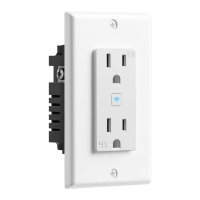
Do you have a question about the GEENI SMART WI-FI OUTLET and is the answer not in the manual?
Essential safety instruction to turn off AC power at the breaker.
Safety procedures for turning off power and disconnecting the existing outlet.
Detailed steps for connecting the smart outlet's wires to the home's wiring.
Step-by-step guide for connecting the device using Easy Mode.
Detailed instructions for connecting the device via AP Mode.
Crucial safety warnings regarding installation and usage.
 General
| Brand | Geeni |
|---|---|
| Category | Accessories |
| Connectivity | Wi-Fi |
| Wi-Fi Standard | 2.4GHz |
| Control Method | App, Voice |
| Scheduling | Yes |
| Input Voltage | 120V AC |
| Color | White |
| Wireless Standard | IEEE 802.11n |
| Voice Control | Amazon Alexa, Google Assistant |
| App Compatibility | Geeni App |
| Features | Remote Control, Energy Monitoring |

 To Next Page