OPERATIONS
4 MEASUREMENT MODE
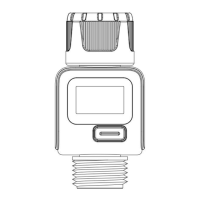
Press the button directly, the display switches to next display mode.
a)Consumption Mode: Measure the single water consumption.
Press the button shows last time water usage.
Hold the button 3 seconds to reset the consumption.
At next watering, the display starts at 0 again.
b)Flow Mode: Shows the current flow in GAL/Min or L/Min.
c)AVG Mode: Display the daily average water consumption for
the last 7 days.
d)Total Mode: Water quantity is measured up to the reset.


 To Next Page