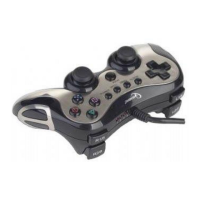
to PC/whether the controller connected well with computer.
Please check and confirm that the “Game Port Controller” of the
“Game Controller” in the “Control Panel” is “Confirmation”, and
“Controller ID” of “Game Port Steering Wheel Controller” shows “1”
Make sure the controller’s I/O setting has no conflict with other
peripheral settings
Restart the computer, if it still does not work normally
2. The driving program “PC TWIN SHOCK” cannot be installed,or the test
of controller has no response after installing it
DirectX’s version is too low. It requires a version of 7.0 and up
3. There is no vibration from motor while playing racing games
Exit the game and reenter. If it still cannot work normally, restart
your PC.
4. Some analog axis can go into effect automatically after you enter the
games (e.g. Need for Speed game).
The steering wheel hasn’t been calibrated or hasn’t been
confirmed after calibrations.


 To Next Page
 Loading...