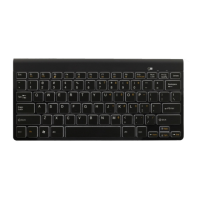
EasyManua.ls Logo

Gembird KB-BT-001 - User Manual

Gembird KB-BT-001
13 pages
Print Icon
To Next Page IconTo Next Page
Loading...
USER MANUAL
HANDBUCH
HANDLEIDING
MANUEL DESCRIPTIF
РУКОВОДСТВО ПОЛЬЗОВАТЕЛЯ
КЕРІВНИЦТВО КОРИСТУВАЧА
BLUETOOTH KEYBOARD
KABELLOSE SLIMLINE TASTATUR MIT BLUETOOTH TECHNOLOGIE
BLUETOOTH TOETSENBORD
CLAVIER BLUETOOTH
БЕСПРОВОДНАЯ BLUETOOTH КЛАВИАТУРА
ТОНКА BLUETOOTH КЛАВІАТУРА
KB-BT-001
Question and Answer IconNeed help?

Do you have a question about the Gembird KB-BT-001 and is the answer not in the manual?

Summary

Setup and Configuration

Keyboard Layout Switching

Explains how to switch between QWERTY and AZERTY layouts using key combinations.

Accessing Bluetooth Settings

Navigating tablet settings to find and enable Bluetooth options.

Bluetooth Device Discovery

Finding the keyboard in the device's Bluetooth settings menu.

Initiate Pairing Process

Tablet prompts to pair with the keyboard, requiring a PIN entry.

Enter Pairing PIN

Entering the correct PIN code on the keyboard to complete the pairing.

Confirm Connection

Verifying the successful connection status between the keyboard and the device.

Battery and Maintenance

Battery Replacement

Illustrates the process of replacing the keyboard's battery.

Advanced Features

Multimedia Function Keys

Using specific function keys for media playback, pause, and volume.

Application Shortcuts

Using function keys like F3 and F4 for quick access to applications.

Warranty Information

Summary

Setup and Configuration

Keyboard Layout Switching

Explains how to switch between QWERTY and AZERTY layouts using key combinations.

Accessing Bluetooth Settings

Navigating tablet settings to find and enable Bluetooth options.

Bluetooth Device Discovery

Finding the keyboard in the device's Bluetooth settings menu.

Initiate Pairing Process

Tablet prompts to pair with the keyboard, requiring a PIN entry.

Enter Pairing PIN

Entering the correct PIN code on the keyboard to complete the pairing.

Confirm Connection

Verifying the successful connection status between the keyboard and the device.

Battery and Maintenance

Battery Replacement

Illustrates the process of replacing the keyboard's battery.

Advanced Features

Multimedia Function Keys

Using specific function keys for media playback, pause, and volume.

Application Shortcuts

Using function keys like F3 and F4 for quick access to applications.

Warranty Information

Gembird KB-BT-001 Specifications

General IconGeneral
Wireless range10 m
Device interfaceBluetooth
Bluetooth version3.0+HS
Keyboard weight358 g
Power source typeBattery
Keyboard form factorMini
Keyboard battery typeAA
Numeric keypadNo
Keyboard layoutQWERTZ
Keyboard languageGerman
Island-style keyboardYes
Keyboard number of keys78
Product colorWhite
Battery technologyAlkaline
Number of batteries supported1
Storage temperature (T-T)-10 - 60 °C
Operating temperature (T-T)0 - 50 °C
Weight and Dimensions IconWeight and Dimensions
Keyboard dimensions (WxDxH)287 x 137 x 20 mm

Related product manuals