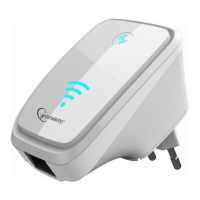
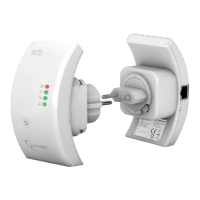
Need help?
Do you have a question about the Gembird WNP-RP-001 and is the answer not in the manual?
Lists essential features of the WiFi repeater, including speed and supported standards.
Details supported standards, ports, frequency band, security, dimensions, and operating conditions.
Guide to logging into the device and initiating the Wireless Setup Wizard.
Configuration option to set the device to operate in Repeater (Station) mode.
Steps involved in setting up the device specifically as a WiFi Repeater.
Choosing the specific wireless network to which the repeater will connect.
Configuring security settings like WPA2, TKIP/AES, and pre-shared keys.
 General
| Model | WNP-RP-001 |
|---|---|
| Category | Repeater |
| Wi-Fi standards | 802.11b/g/n |
| Frequency Band | 2.4 GHz |
| Maximum Speed | 300 Mbps |
| Ports | 1 x 10/100 Mbps Ethernet |
| Wireless Standard | IEEE 802.11n |
| Wireless security | WEP, WPA, WPA2 |
| Power Supply | 5V DC |


 To Next Page