Rev 0.7
BM-707 / BM-727 蓝牙安卓手柄功能说明
深圳市普腾达科技有限公司
SHENZHEN KINGLINE Technology Co., Ltd
3
iOS third-party operating
4
In the iCade mode,enter the APP Store apple word search “iCade”square mall,the games shown can support.
E.g.Temple Run/ Rush City/Invasion Strike
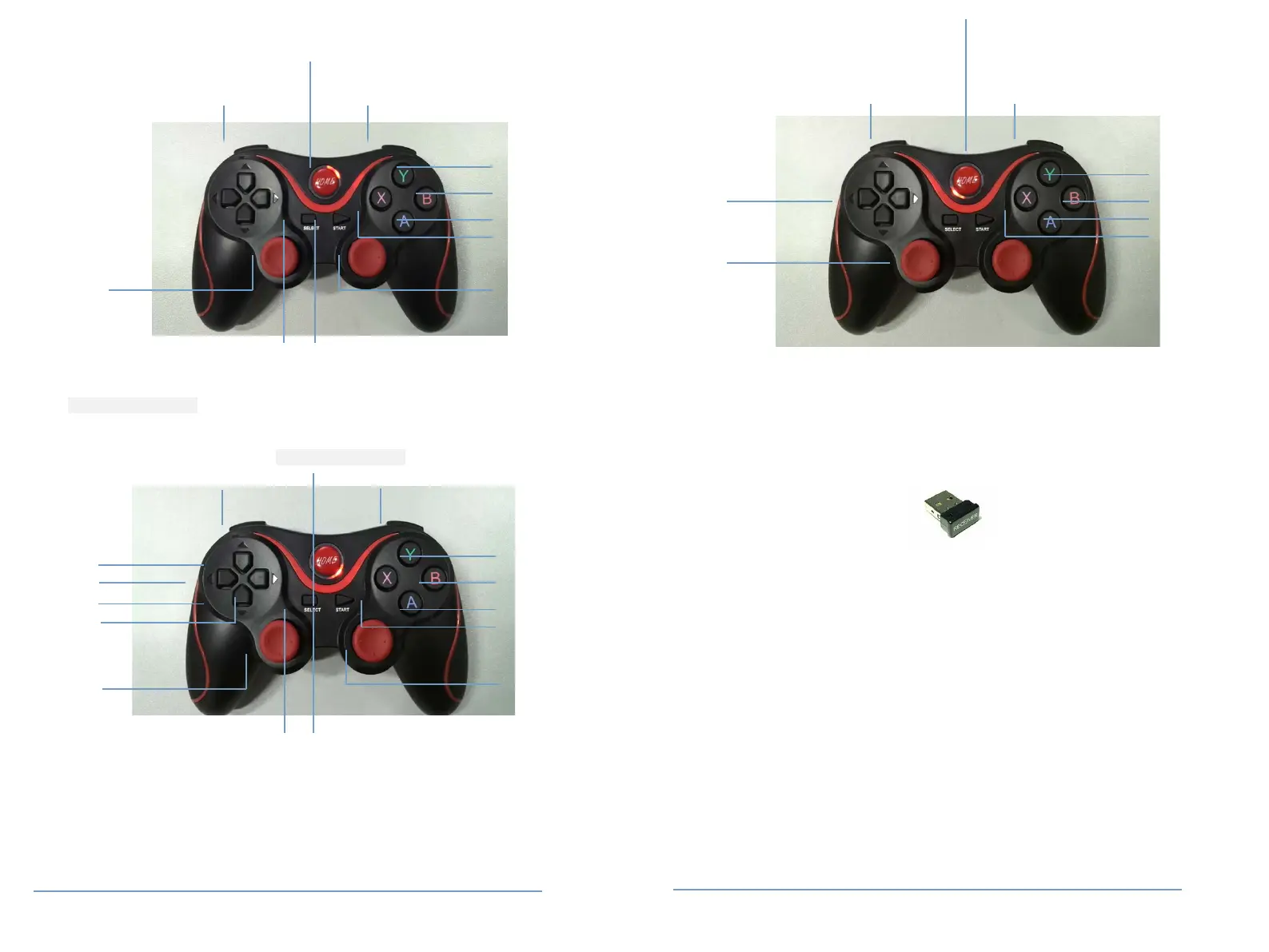
VOL+
play/pause:L2
Mouse left::L2
R2:play/pause
R1:Mouse right button
Action button :L2
Action button :L1
R2:Action button
R1:Action button
Action button
Action button
Action button
Direction key
Direction key
Right Joystick
Direction key
iOS third-party operating
Page 3 of 4 文档编号:BM-MJ600
Rev 0.7
BM-707 / BM-727 蓝牙安卓手柄功能说明
深圳市普腾达科技有限公司
SHENZHEN KINGLINE Technology Co., Ltd
notion:in the iCade mode,the input method needs to set up the pure English.
Wireless connection
Handle connect with BM-703mini receiver
Insert BM-703 mini receiver into computer USB port(or TV box),in the condition of handle off,press
SELECT+MODE key to electricity。It will be automatically connect to BM-703
BM-703 mini receiver
Wired connection
Handle directly connect via USB cable
Hold the START button can directly connect to computer via USB cable. And then into the USB cable mode state.
Data Parameter
1
Connection current: around 40 mA
2、Working current: around 30 mA
3、Sleeping current: around 2 uA
Action button
Action button
Action button Action button
Page 4 of 4 文档编号:BM-MJ600



 To Previous Page
 Loading...