9200 Ceph Installation Manual
032-0296-EN Rev 01-10
Install Primary Collimator
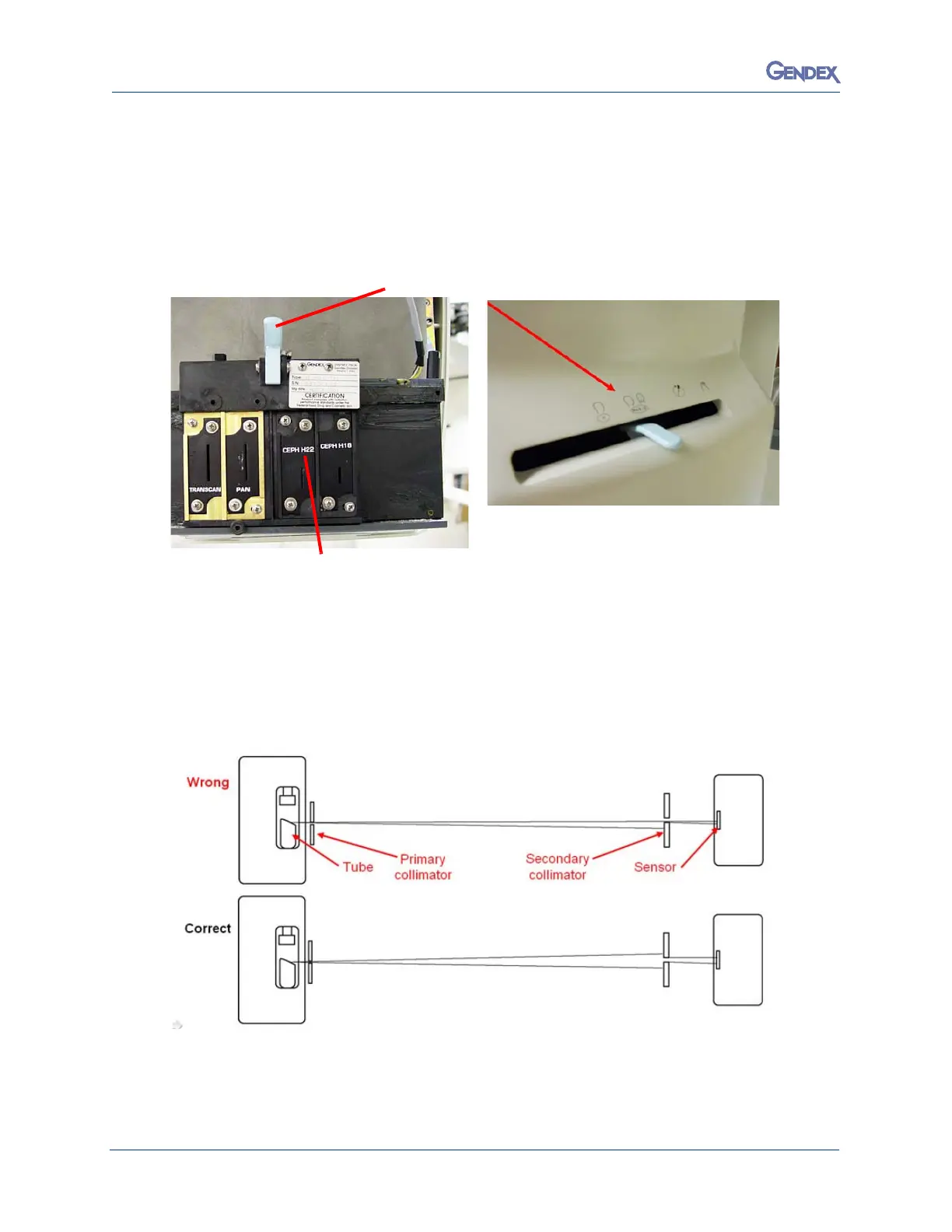
1. With the cover plate removed, install the brass collimator plate.
2. Move the plate all the way to the right as a starting point.
3. Confirm that the Ceph collimator lever is set on H-22.
4. Move the collimator slightly (horizontally) between each exposure (1 mm of the primary
collimator movement =10mm.s of beam movement at the sensor).
5. Remember, service screen, stop/static image, between each shot.
6. If the collimator is aligned, the black bar will have a border all the way around it, and the
Hi
s
togram will look like a (Dixie Cup).
7.
With the primary lead plate in place, align beam to sensor as shown below.



 To Next Page
 Loading...



