9200 Ceph Installation Manual
032-0296-EN Rev 01-12
Check X-ray Alignment with Static Exposure
To check the alignment of the X-ray field in panoramic mode proceed as follows:
1. Switch on the unit entering the Service Programs.
2. Select the program X-ray alignment and press Dummy Run;
select 70 kV, 9 mA and 0.16 s: the unit is now ready to make
a static exposure.
3. Select the panoramic position on the collimator and on the
oper
at
or panel.
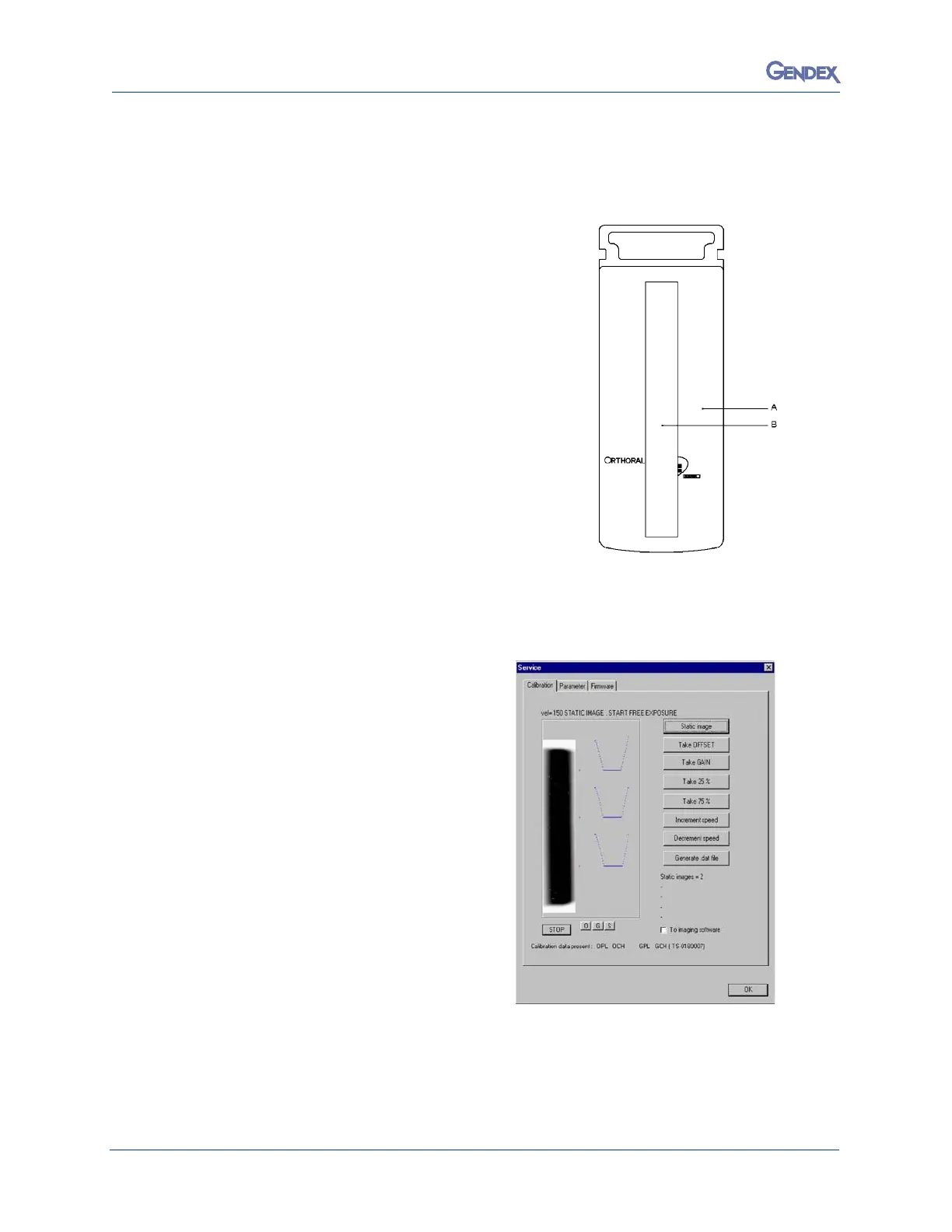
4. Fix the copper filter
(B) supplied on the front part of the DMU
(A) in order to cover completely the digital sensor, by using
ad
h
esive tape.
5. Switch on the PC where the Orthoralix 9200 DDE is
con
nected.
6. Right click the DDE icon in the system tray; four options are
displ
ayed:
• Remote
• Ser
vice
• Reconnect
• Preview
7. Click Service and select Static image.
8.
Make an exposure, the following is displayed:
• a white rectangle corr
esponding to the
digital sensor (the vertical dimension is
compressed)
• a black rectangle corresponding to the
X-ray field
• on the right, three grey sections
showing the position of the X-ray field
respect to the digital sensor.
The purpose is to have the black rectangle in
the middle of the white rectangle, with a white
uniform unexposed area all around. Look at
the following example. or wrong alignment and
how much the lead plate must be adjusted. If
an adjustment (horizontal or vertical) is
required, please refer to the paragraph
Adjusting the X-ray collimator of the Section F
of this Service Manual.
9. For additional exposures, click Stop and then Static image.
10. To exit the Service function, click Stop and then OK.
11. Exit the Service Programs by switching off the system.



 To Next Page
 Loading...



