EasyManua.ls Logo

General Monitors TS4000H - User Manual

General Monitors TS4000H
105 pages
Print Icon
To Next Page IconTo Next Page
Loading...
The information and technical data disclosed in
this document may be used and disseminated
only for the purposes and to the extent
specifically authorized in writing by General
Monitors.
Instruction Manual 02-17
General Monitors reserves the right to change
published specifications and designs without
prior notice.
MANTS4000H
Part No. MANTS4000H
Revision P/02-17
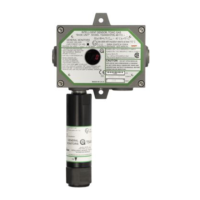
Model TS4000H
Intelligent Sensor for
Toxic Gas Detection

Table of Contents

Questions and Answers

  • R
    raymond06Aug 15, 2025
    What to do if General Monitors TS4000H show 'Sensor Failure'?
    • H
      hudsonheatherAug 15, 2025
      If your General Monitors Measuring Instruments display a 'Sensor Failure' message, try recalibrating the sensor first. If the problem continues, the sensor may need to be replaced. This may happen due to a sensor failure, a new un-calibrated sensor being plugged into the IM, or a sensor range error.
  • C
    cherylsullivanAug 18, 2025
    What to do if General Monitors TS4000H show 'Calibration Timeout'?
    • B
      Bailey JohnstonAug 18, 2025
      If the General Monitors Measuring Instruments fails to complete calibration within ten minutes, remove any gas that may be present and attempt to recalibrate. If the problem persists, verify the calibration gas. If the calibration gas is verified, replace the sensor and recalibrate.
  • N
    nsalazarAug 21, 2025
    What does it mean if General Monitors TS4000H Measuring Instruments display 'Sensor Rate of Change'?
    • T
      Tyler LaraAug 22, 2025
      If your General Monitors Measuring Instruments displays a 'Sensor Rate of Change' message, it indicates that the sensor reading is changing rapidly and is not stable. Wait until the sensor reading stabilizes. If the fault continues, replace the electrochemical cell.
  • L
    Laurie MorenoAug 26, 2025
    What to do if General Monitors Measuring Instruments display 'Switch Error'?
    • J
      Jessica HowardAug 26, 2025
      If your General Monitors Measuring Instruments displays a 'Switch Error' message, check the wiring on the Remote Reset and Remote Calibrate switches. This error occurs if either the Remote Reset, Remote Calibrate, or magnetic switch is closed for more than two minutes. If the magnetic switch is shorted (stuck), the BU must be returned to the factory or authorized service center for repair.
  • W
    Whitney GoodwinAug 28, 2025
    Why does General Monitors Measuring Instruments show 'No Sensor'?
    • M
      Mark ElliottAug 28, 2025
      The 'No Sensor' error on your General Monitors Measuring Instruments indicates that either no sensor is plugged into the IM or a non-functional Oxygen sensor is plugged into the IM. Ensure that there is a functional sensor plugged into the IM. Verify Oxygen sensor functionality and replace it if necessary.
  • J
    Jeremy BauerSep 1, 2025
    What to do if General Monitors TS4000H display 'Low Supply Voltage'?
    • T
      Teresa CardenasSep 1, 2025
      If your General Monitors Measuring Instruments displays a 'Low Supply Voltage' message, it means the supply voltage at the TS4000H has dropped below +18.5VDC. Ensure that the supply voltage is at least +20VDC at the BU.
  • V
    veronica53Sep 4, 2025
    How to fix 'IM Communication' error on General Monitors TS4000H?
    • C
      christinadonaldsonSep 4, 2025
      If your General Monitors Measuring Instruments shows an 'IM Communication' error, verify that the BU and IM are properly wired. This error can occur if the IM does not communicate or if the IM microprocessor has a Flash Data, Flash Code, or RAM error.
  • J
    Jeffrey LopezSep 7, 2025
    What to do if General Monitors TS4000H Measuring Instruments show 'Base Setup Timeout'?
    • H
      Heather RichardsonSep 7, 2025
      If your General Monitors Measuring Instruments displays a 'Base Setup Timeout' message, it means the BU was left in Setup Mode for over six minutes without the magnet being applied. Enter the BU User Menu Structure to clear the fault.
  • J
    Jennifer ShannonSep 12, 2025
    What to do if General Monitors TS4000H display 'Gas Check Timeout'?
    • W
      William MilesSep 12, 2025
      Remove the applied gas from the General Monitors Measuring Instruments. The unit will automatically clear the fault.

Summary

About This Manual

Format Conventions

Explains conventions for notes, menus, and Modbus formats.

Other Sources of Help

Information on where to find additional product documentation.

1.0 Before Installation

System Integrity and Commissioning

Verifying wiring, connections, and stability before operation.

Notes, Warnings, and Glossary

Important safety notices and definitions of terms used in the manual.

2.0 Product Overview

General Description and Applications

Overview of the TS4000H detector, its capabilities, and uses.

Components and Features

Details on the Base Unit, Interface Module, and Electrochemical Cell.

3.0 Installation

Preparation and Mounting

Steps for site prep, choosing location, and mounting the unit.

Wiring Connections and Power-Up

Instructions for connecting power, ground, and alarm relays.

Start-up and Integrity

Applying power, start-up checklist, process, and explosion proofing.

4.0 Operation

Start-up and Interface Navigation

Initial start-up, menu structure, and using the selection magnet.

Configuration and Settings

Adjusting sensor range, relays, Modbus, and HART settings.

Operational Modes

Using Gas Check, Calibration, and managing sensor life.

5.0 Modbus Interface

Introduction and Protocols

Overview of Modbus communication, read/write protocols, and exceptions.

Configuration Settings

Baud rate, data format, addresses, and Modbus channel settings.

Command Register Functions

Details on Analog, Mode, Relay, Sensor, and Error registers.

Event Logging and Clock Functions

Managing run time, real time clock, and logging system events.

6.0 Maintenance

General Maintenance and Storage

Procedures for routine maintenance and proper storage of the unit.

7.0 Troubleshooting

Fault Codes and Remedies

Identifying and resolving faults using error codes and descriptions.

8.0 Customer Support

General Monitors’ Offices

Contact information for global support locations.

9.0 Appendix

9.1 Warranty

Details of the product warranty terms and conditions.

9.3 Periodic Testing and Calibration

Recommended schedules and procedures for testing and calibrating the device.

9.5 Product Specifications

Technical specifications including electrical, environmental, and accuracy data.

9.7 Parts and Accessories

List of compatible parts, accessories, and calibration kits.

ADDENDUM Product Disposal Considerations

General Monitors TS4000H Specifications

General IconGeneral
BrandGeneral Monitors
ModelTS4000H
CategoryMeasuring Instruments
LanguageEnglish