English
-12-
Share Region
You can share any desired position on your desktop.
Repeat button
Press it to re-activate the last sharing region.
Share window
You can share the desired window on your desktop.
Share full screen
You can share whole screen on your desktop.
Stop
Click the Stop button to stop sharing.
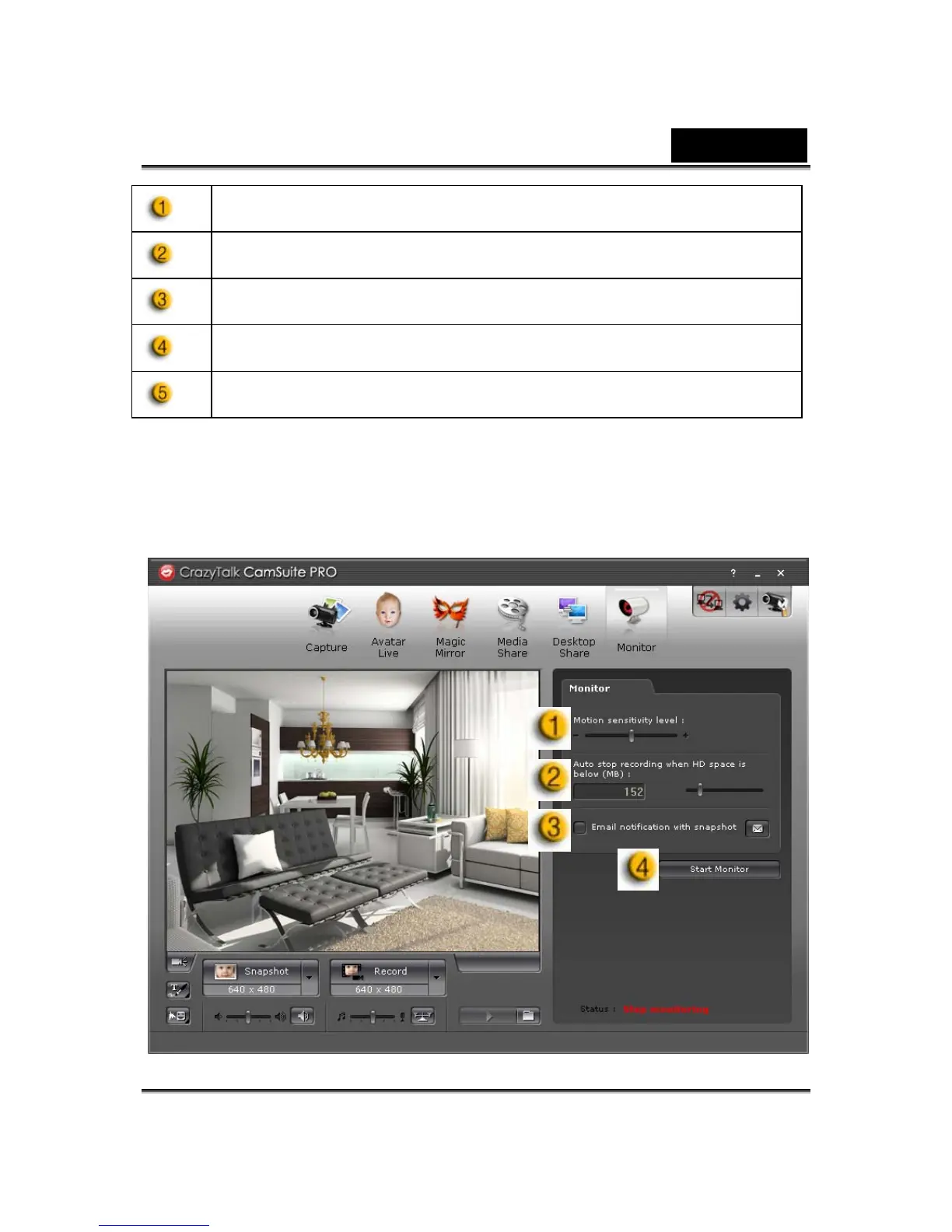
Monitor
This function will record movements which are visible to the webcam. An
e-mail containing snapshots will be sent to you to notify such event had
taken place. The recorded video will be saved in the Gallery folder for you to
check later.












 To Next Page