English
-2-
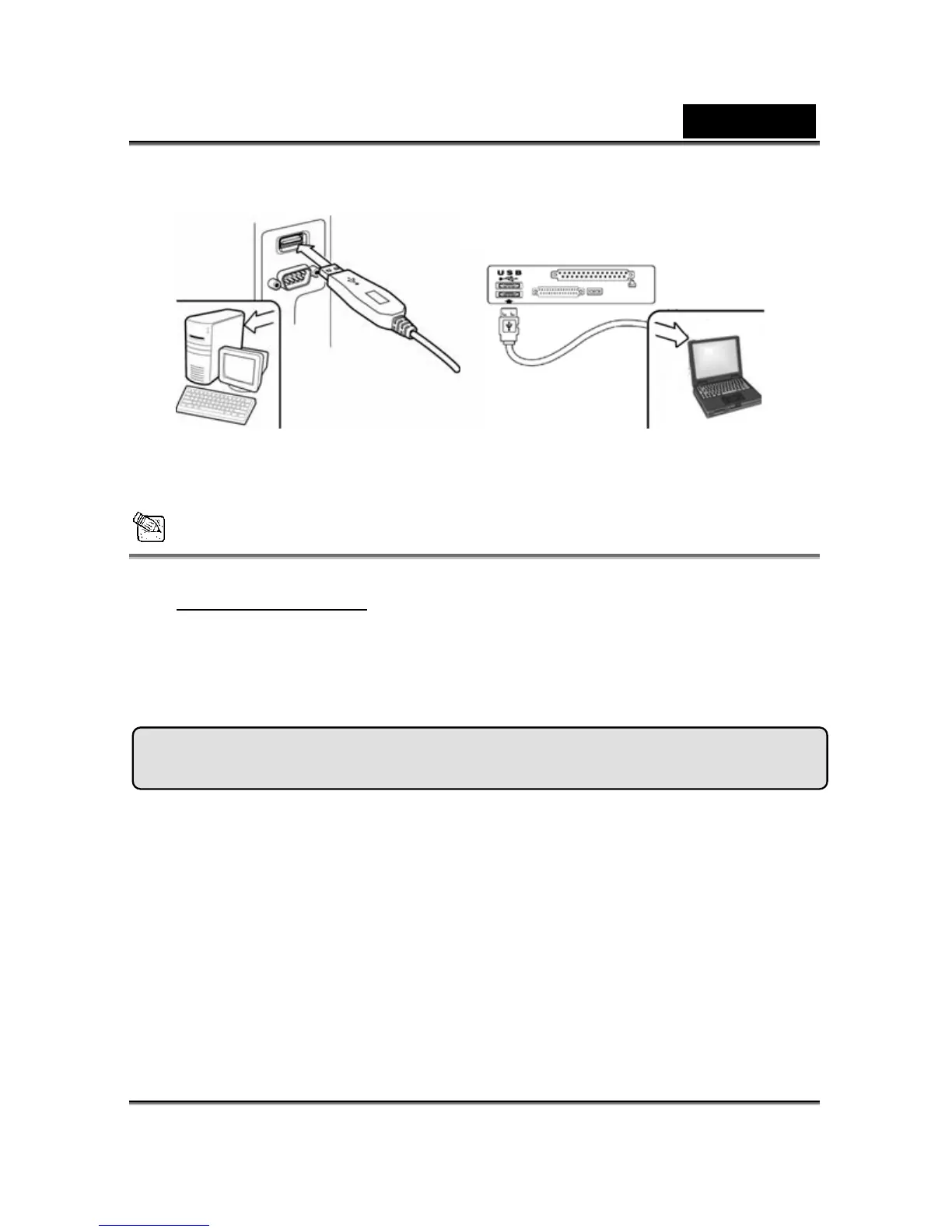
or laptop’s USB port.
4. Complete software and hardware installation. You can
install the software you would like for video
conferencing or chat with your friends.
NOTE
To remove the driver installation:
Windows Environment:
Please go to the taskbar and follow “Start” Æ “Program” Æ “VideoCAM
GE111”Æ Click “Uninstall”, then follow the on-screen instructions to
remove the driver.
Genius Application (Windows Only)
You can use our software to capture the real-time image, record or
execute the simply security function.
To run the software, please go to the task bar and follow “Start”Æ
Click “Program”Æ Choose “VideoCAM GE111”Æ Click “VideoCAM
GE111”. Or you may execute the software by simply clicking the
shortcut of “VideoCAM GE111”.













 To Next Page