67
English
(such as hotels, restaurants, airports, shops, etc.) that can be
searched for and located thanks to this function.
Tide or current forecast at the nearest survey station
NOTE: This function is available only with the NAVIONICS cartridges containing
Tides and Currents data.
This function allows displaying, within the space of twenty-
four hours with respect to the selected date, the tide level and
tidal current speed and direction at a survey station in the
vicinity. Unlike the estimated data shown in the Tide Info
window, this forecast is much more accurate, being supplied
directly by tidal surveying stations.
Press GOTO, select NEAREST by the joystick, choose the Tides
or Currents service, then press ENTER to confirm. The GEONAV
will allow selecting one of the three nearest Tides and Cur-
rents stations. Use the joystick to choose the station desired
and press ENTER to confirm.
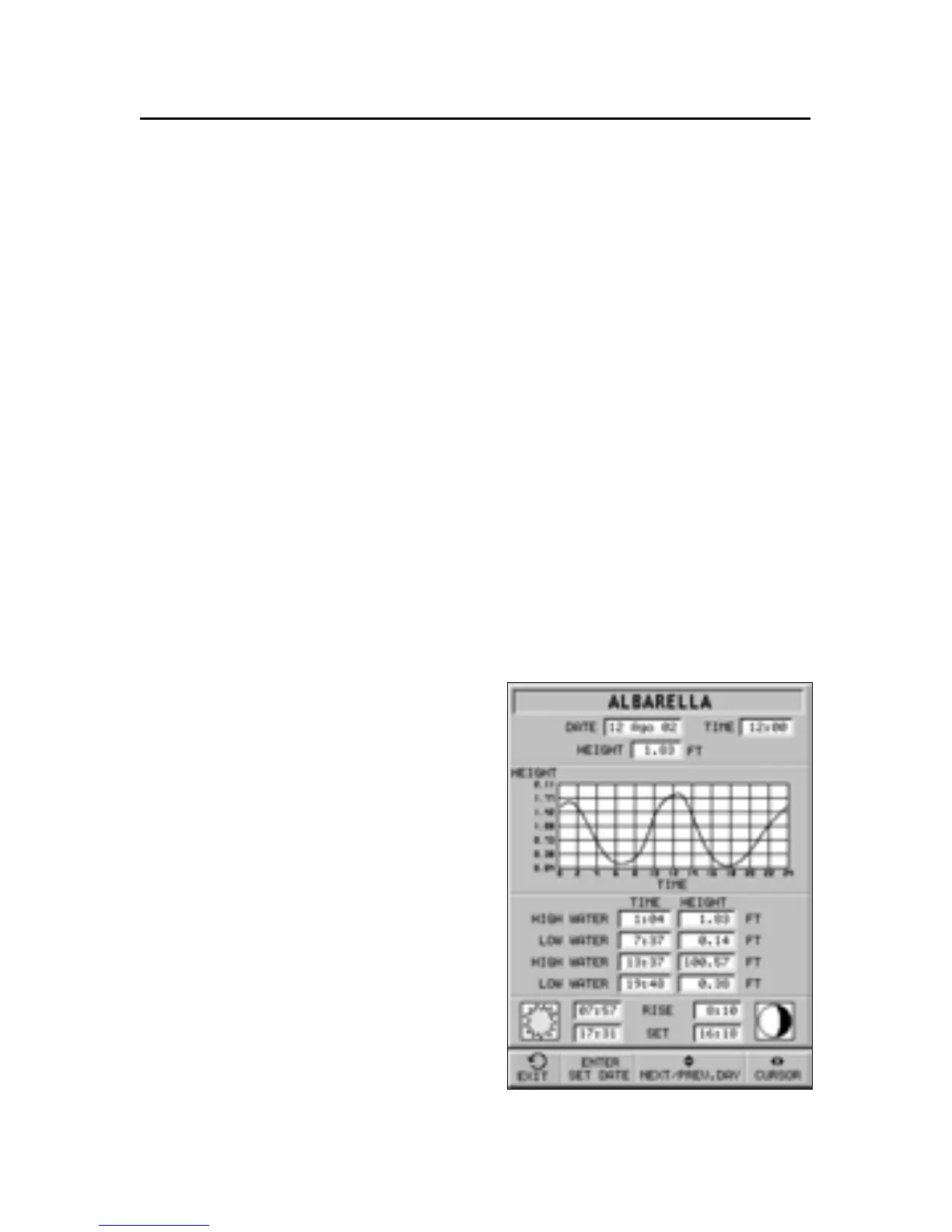
A window will show the infor-
mation reported below:
Tide station
• Name of the station
• Forecast reference date
• Time and height with respect
to the cursor’s position in the
graph
• Time and height of high/low
water
• Dawn and sunset time
• Moonrise and moonset time
• Moon phase
• Tide level graph (24 hours)



 To Next Page