9
English
Installation
The GEONAV package includes several accessories. The cradle,
a standard accessory, allows connecting the unit to the mains
battery charger, the battery charger with lighter plug, the loud-
speaker battery charger with cigarette lighter plug or the ear-
phone.
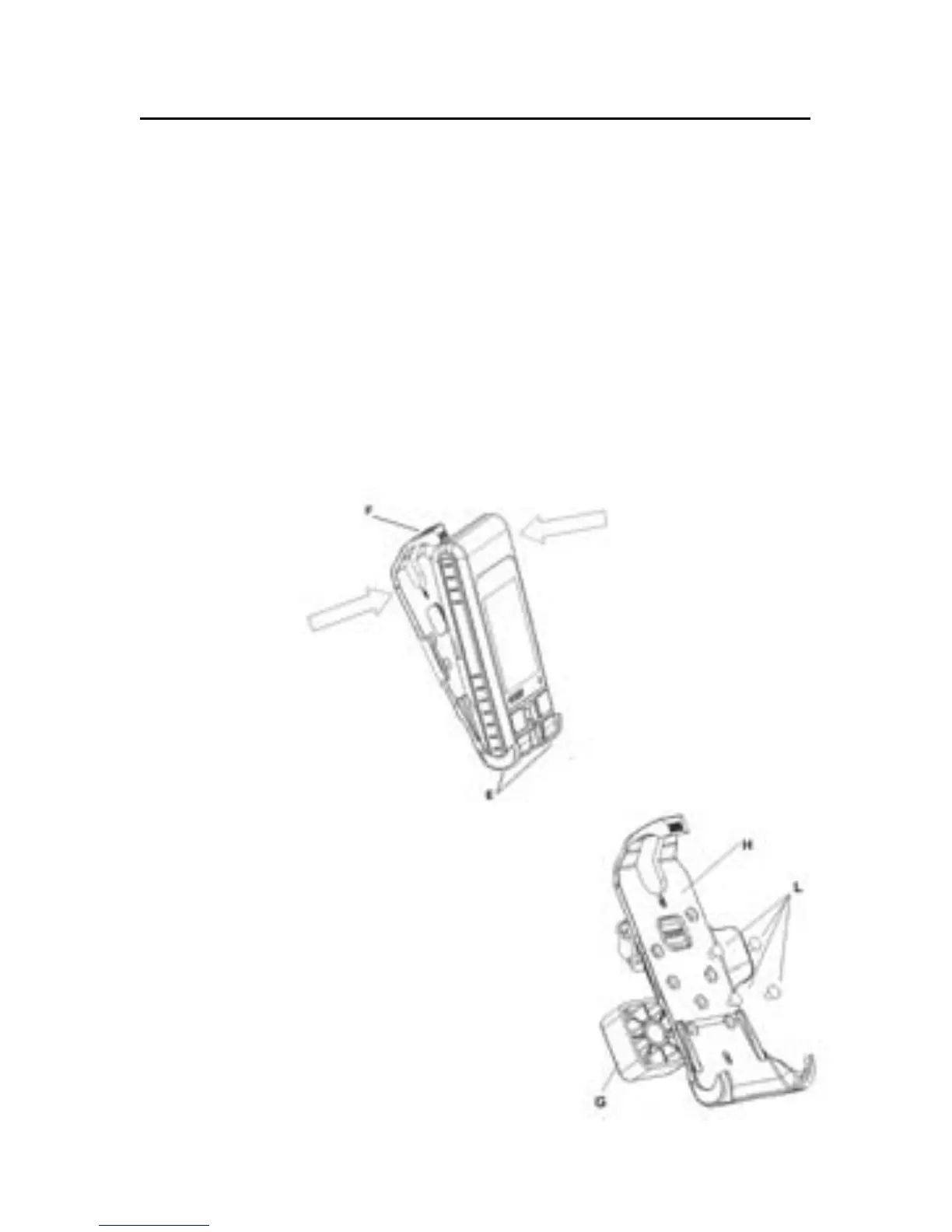
To mount the unit in the cradle, position the lower side of the
instrument between the two lower hooks (E) of the cradle and
then push the cradle against the instrument until the upper
hook (F) will lock the unit. To dismount the unit from the
cradle, release the upper hook (F).
The accessory set includes a panel-
mount bracket. Mount the bracket (G)
on the cradle (H) by using the 4 screws
(L) provided. The bracket (G) can be fixed
to any plain surface, using either
screws or double-face adhesive tape.
Please note that, regardless of the
mounting technique, the support will
not allow rotating the instrument once
fixed: for this reason, make sure to fix



 To Next Page