5.2.1. LED
Please refer to 5.3.
5.2.2. Microphone
For audio recording purpose.
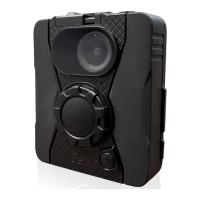
5.2.3. On/Off Button
Press power button one time to boot BWC. Press power
button 10 seconds to shutdown BWC.
5.2.4. Mode Switch
Normal mode and Covert mode switch.
5.2.5. Wheel Switch
When stopping recording, you can use wheel switch to
categorize the instant.
5.2.6. Main Button
To start recording/stop recording and mark/confirm function.
5.2.7. Speaker
To provide audio notifications.


 To Next Page
 Loading...