4 Data Management Operating Manual MSA 330 / MSA 340
26
4.2.2 Visualization of CSV file
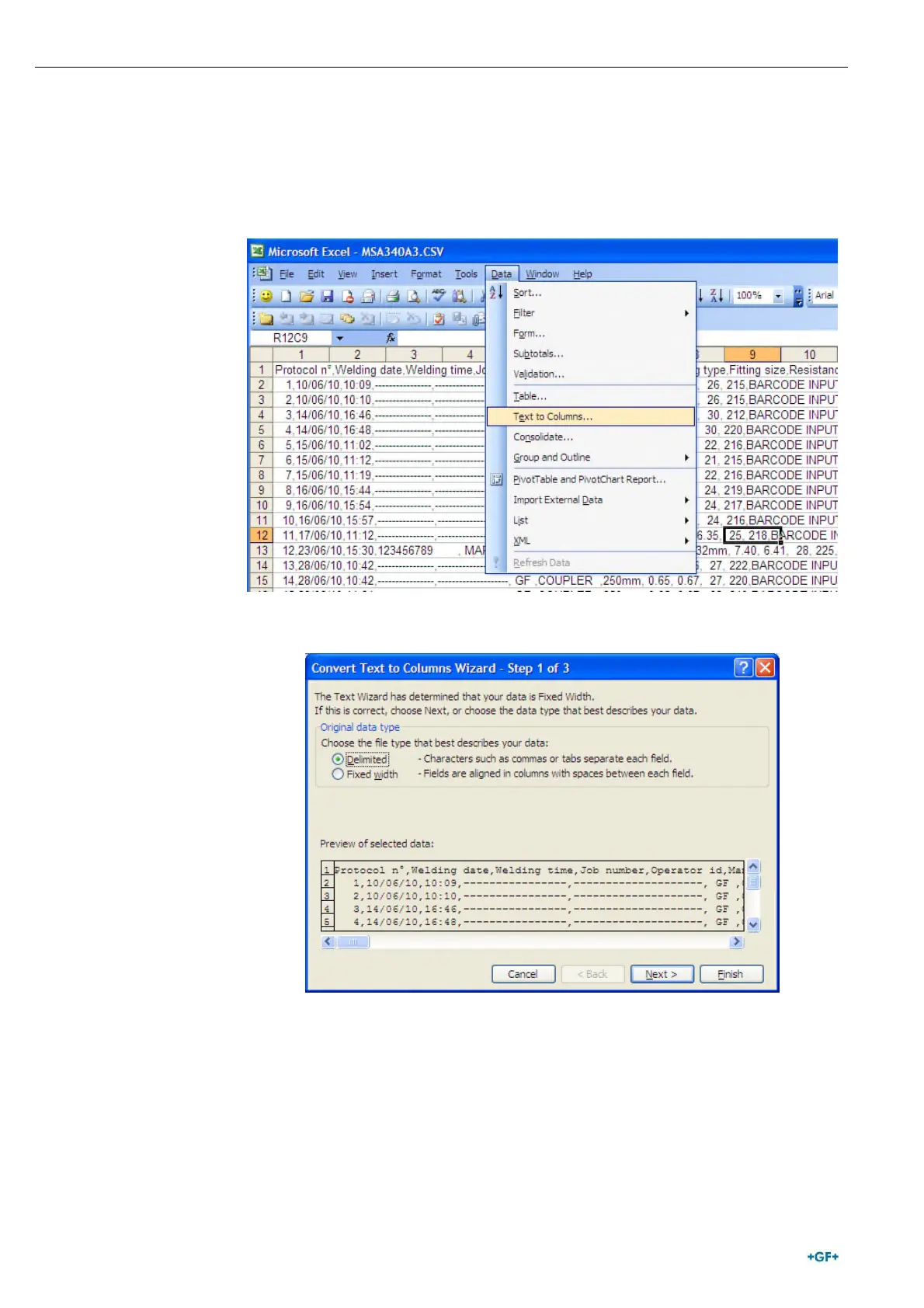
When you open the CSV file with Microsoft
®
Excel, if data are displayed
in only one column, a setting procedure could be necessary to get a
correct visualization of the file.
• Select the first column and open the menu “Data -> Text to
Columns”
• Select “Delimited” and go ahead pressing “Next >” button.



 To Next Page