- 7 -
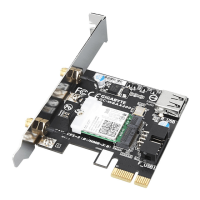
After the computer starts, install the
driver for the Wi-Fi/Bluetooth Card.
Adjust your wireless LAN configuration
based on your environment after
installing the driver.
啟動電腦後請安裝Wi-Fi/藍牙卡驅
動程式。完成後即可依環境中的
無線網路選擇連接。
Installing the Drivers and Utilities • 安裝驅動程式及工具
安装驱动程序及工具 •
ドライバとユーティリティをインストールする
Installation der Treiber und Dienstprogramme
启动电脑后请安装Wi-Fi/蓝牙卡驱动程序。完成后即可依环境中的无线网络选
择连接。
コンピュータが起動した後、Wi-Fi/Bluetoothカードのドライバーをインストールし
てください。ドライバーをインストールした後に、ご使用の環境に基づいて、ワイ
ヤレスLANの設定を行います。
Hat sich der Computer hochgefahren, installieren Sie den Treiber für die Wi-Fi/Bluetooth-
Karte. Passen Sie nach Installation des Treibers Ihre WLAN-Konfiguration entsprechend
Ihrer Umgebung an.


 To Next Page
 Loading...