- 13 -
Display
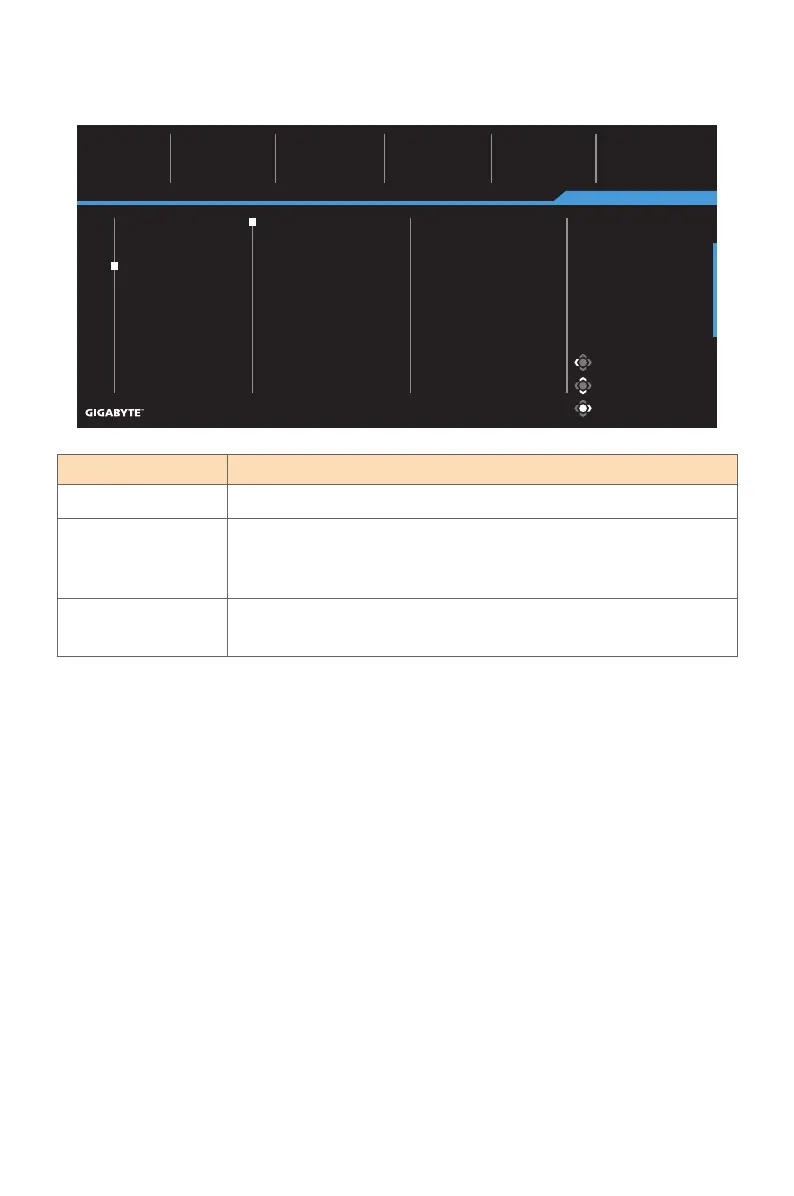
Configure the display screen related settings.
Item Description
Input Select the input source.
RGB Range Select an appropriate RGB range setting or let the monitor
to detect it automatically.
Note: This option is only available for HDMI input.
Overscan When this function is enabled, it slightly enlarges the input
image to hide the outermost edges of the image.
Picture Mode: Standard
Gaming
Picture
Display
PIP/PBP
System
Language
Reset all
SDR Brightness
50
Contrast
50
Color Temperature
Normal
Sharpness
5
Gamma
Gamma 3
Input
RGB Range
Overscan
HDMI 1
HDMI 2
DisplayPort
Exit
Move/Adjust
Enter/Confirm
Picture Mode: Standard


 To Next Page