4-12
Operation - Standard Use 4
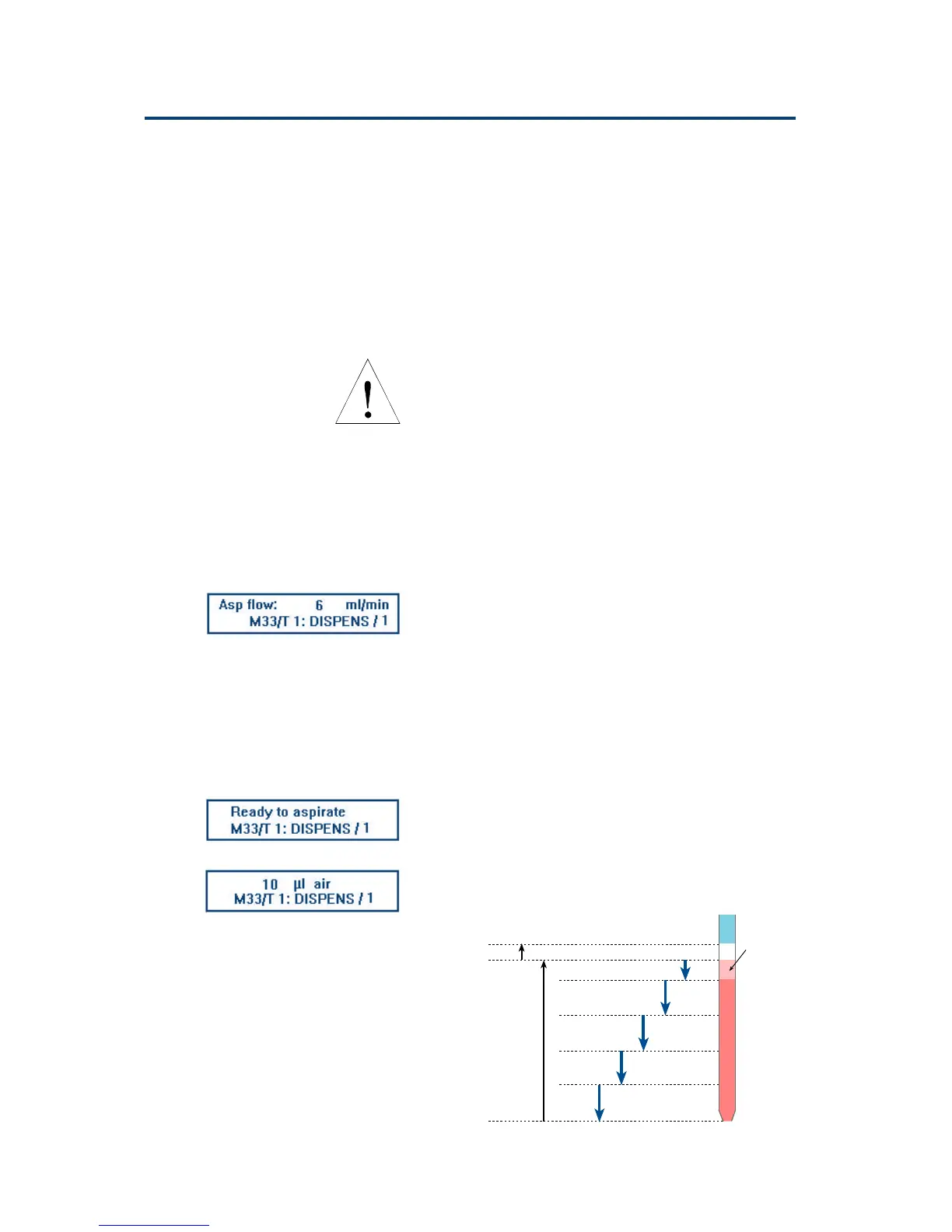
Essential Steps
In Run Screen (1)
1
air gap
2
liquid
3
fraction1
4
fraction 2
5
fraction 3
6
fraction 4
7
to waste
Extra Volume
In Run Screen (2a)
In Run Screen (2b)
Ensure that the probe-end of the transfer-tubing is
in a suitable waste container, then press OK.
‘Homing ...’ appears on the screen until the
syringe(s) have returned to their home positions,
during which time any liquid contained in the
transfer-tubing is expelled from the probe-end.
After this the Action Screen reappears.
Press ESC to return to the start-up screen for the
current file.
Whenever you see ‘Homing’ on the screen, the
syringe piston(s) are returned to their uppermost
position(s). As a result, some (or all) of the liquid
contained in the transfer-tubing will be expelled
from the probe-end. You must ensure that the
probe end of transfer-tubing is already in a
suitable waste container.
Method Example
This section describes how to run Method 33
(created as above).
(i) Press Run, you see In Run Screen 1.
M33/T 1: DISPENS/1 means Method 33 Task 1,
Dispense Task, first cycle.
The cursor moves from side-to-side below the
parameter value field, indicating that you must
enter a value (or validate the current value, in
this example 6 mL/min.). Key in the required
flow rate (for example, 12 mL/min.) and press
ENTER. [Similar screens would appear for any
other parameters that you had entered as a
question mark (?).] The command light flashes
and you see alternately In Run Screens 2a and 2b
(about every half a second).
In the Dispense task, you aspirate an air gap, then
liquid. After aspirating, you dispense the liquid
in several fractions, finally the ‘Extra volume’ is
sent to waste.


 To Next Page
 Loading...