35
ENENUSER MANUAL BAR
7. OUTPUT
The BAR series scales can be ordered with an optional RS232 output.
Specications:
• RS232 output of weighing data
• ASCII code
• 9600 Baud
• 8 data bits
• No parity
Connector: 9 pin d-subminiature socket
• Pin 2: Rx
• Pin 3: Tx
• Pin 5: GND
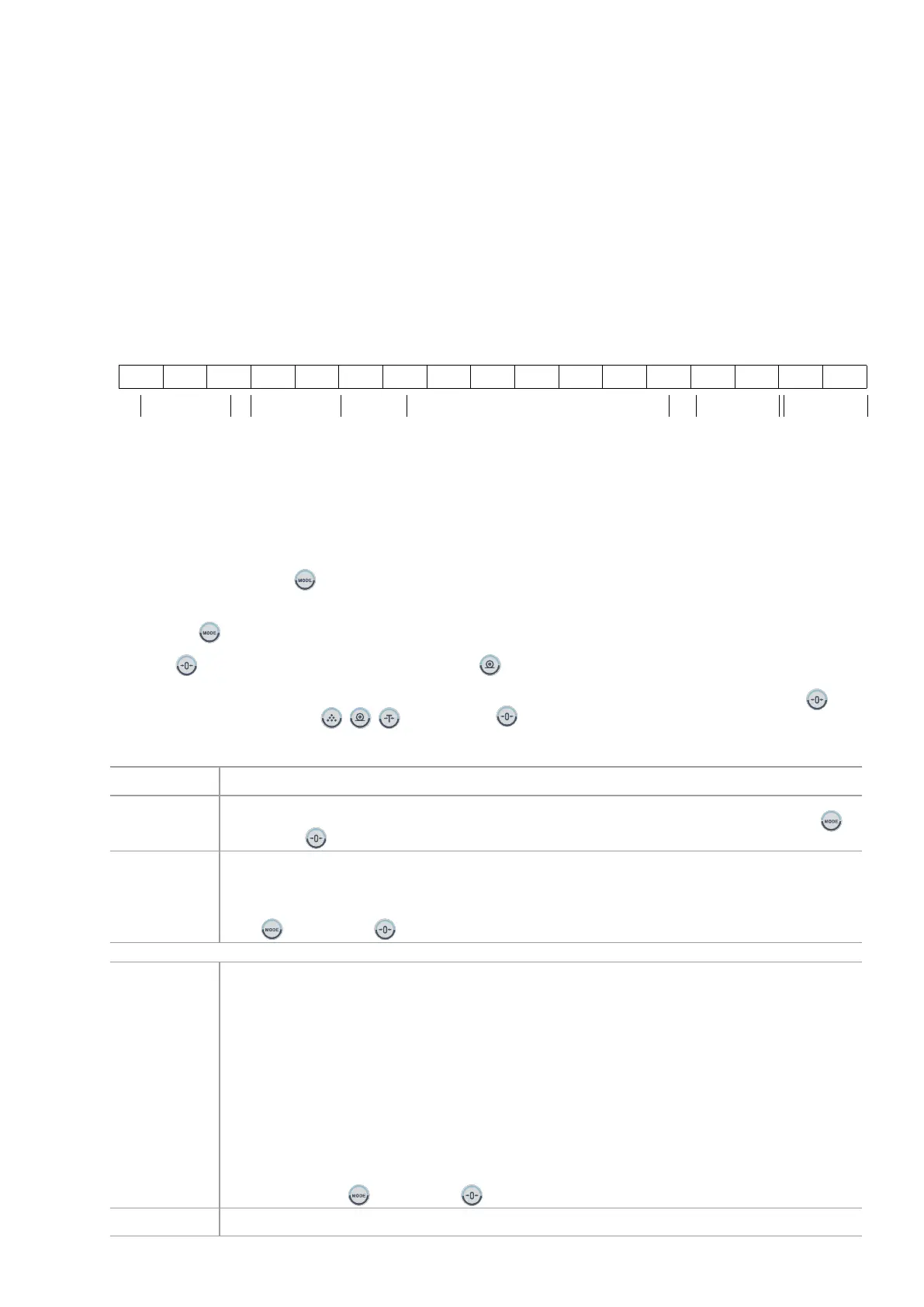
Continuous output protocol.
, -/ k g CR LF
-HEADER 1- -HEADER 2- -WEIGHT DATA-
-WEIGHT UNIT-
TERMIANTOR
HEADER1: ST= STABLE, US= UNSTABLE
HEADER2: NT= NET, GS = GROSS
NOTE: For the proper functioning of the equipment, use only 3-wire RS232 cables.
8. PARAMETERS
The scale has 9 parameters that can be set by the user plus a method of entering the calibration section.
To set parameters press the
key during self checking.
The display will show the rst function, “F1 UNIT”.
Pressing the
key will cycle through the other functions.
Pressing
key will allow you to set the function. Use the key to leave a parameter unchanged.
NOTE: When the display shows “TECH” in the veried equipment, press the "CAL SWITCH" then press the key.
key to
enter, display shows “PIN”, press
, , key, and press key to enter technical parameters setting mode.
PARAMETERS TABLE
FUNCTION DESCRIPTION
F1 Unt
Sets the which units want to use: g / ct / lb / oz / d / gn / ozt / dwt / mm / tl.T / tl.c / tl.t / t use
to
switch, use
key to sure.
F2 bL
Set the backlight to be on, automatic or off.
EL on: Backlight always on
EL Au: Backlight automatically turn on
EL off: Backlight allways off
Use
to switch, use key to sure.
F3 Con
Set RS232
At rst, select you will use RS232 or USB..
S 232: use RS232 interface
S USB: use USB interface. (not available)
Then will select interface work mode.
P Prt connect with mini printer.
P Cont connect with remote display or PC
P Auto connect with mini printer, auto printer, auto print (auto accumulation)
wirELE: wireles.
After you select communication mode, display will show b xxx, this is baud rate, you can select from
600, 1200, 2400, 4800 or 9600 bps.
If you select P Prt o P Auto (work with printer), after set baud rate, display will show tP or LP-50, this is
printer mode, you can select normal mini printer (tP) or label printer (LP-50).
If you select LP-50, display will show EnG o CH, this is print out language, you can select Chinese (CH) or
English (EnG). Use
to switch, use key to sure.
SALE M
N/Y Sales mode


 To Next Page