This GIT-EZDS Aftermarket Distributorship Manual contains important information on the sensitive business practice and confident
ial business facts and figures that must be kept confidential and protected from the third party’s unauthorized approach. Du
plication, photo copy,
reproduction or translation to the other language is strictly prohibited without GIT and EZDS’ prior written consent, and any
violation of such prohibition will entitle GIT or EZDS to terminate the distributorship contract.
TROUBLE SHOOTING GUIDE
GIT-EZDS
AFTERMARKET DISTRIBUTORSHIP MANUAL
GIT-EZDS AFTERMARKET DISTRIBUTORSHIP MANUAL
Feb 19
th
, 2019
FIRST EDITION
①
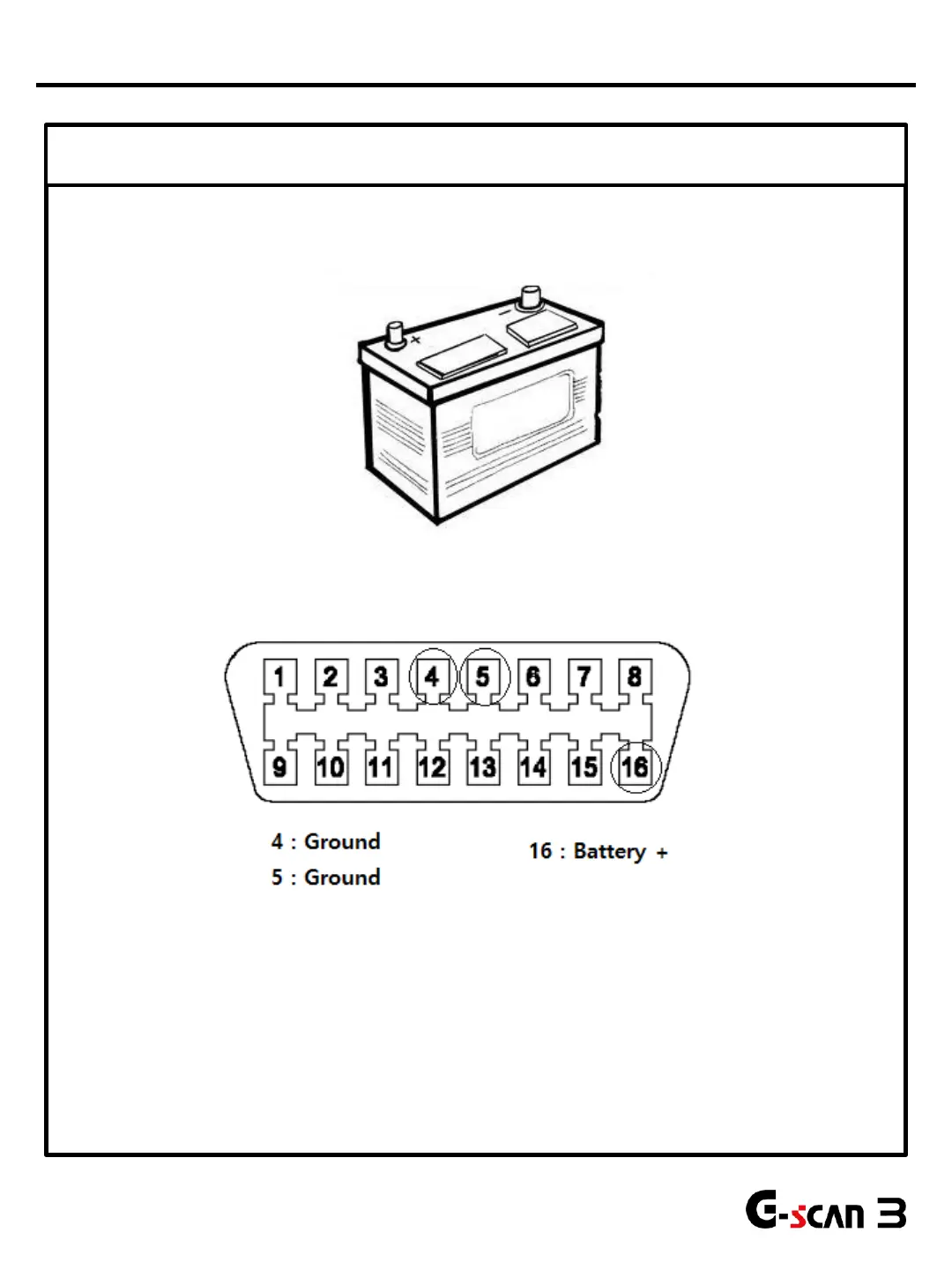
Check the power supply from the vehicle battery
Using a multi-meter, please check condition of the vehicle battery first. Recharge or replace
the battery as necessary.
5
Please check for power supply from the vehicle side Data Link Connector (mostly located under
left side of the dash.) Turn the Ignition ON and check for voltage at Pin #4 or #5 (Ground) and
#16 (Battery positive) by using the multi-meter.
If power supply from the vehicle battery seems flawless, go to step 2 to continue diagnosis.
*Note: Some vehicles do not provide power through the DLC. G-scan3 may require an external power supply other than
just the main DLC cable, G-Scan3 can receive power by additionally connecting the Cigar Lighter cable.
Power Supply Problems


 To Next Page