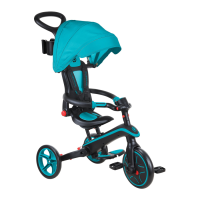
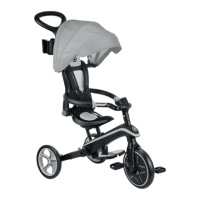
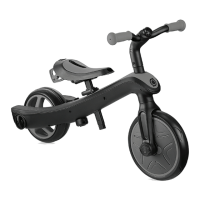
10
ENGLISH
11
ENGLISH
Please carefully read the instructions before assembling and using the product. Keep the instructions for future reference.
Be careful when unpacking and assembling the product.
This product must be assembled by a responsible adult.
Remove all the parts which are not necessary for play before giving the product to your child.
Warning! Do not step or stand on back of frame which will cause product overturned.
Tricycle mode: Warning! Not to be used by children over 36 months; insufficient strength to support.
Do not use on wet days, or on wet ground.
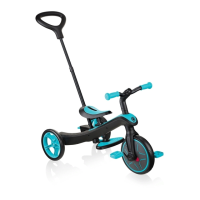
How to assemble EXPLORER TRIKE 4in1
1. Insert the mudguard on the front wheel. Align the front wheel fork with the trike frame and insert the steering shaft of the fork through the frame.
2. Take the handlebars and align them with the front wheel by making sure the stem of the front wheel’s fork slots into the handlebars’ column. Make sure the handlebars are placed in the correct direction
with the top column facing outwards, away from the seat. Push the handlebars down until you hear a click to securely fix them in place*.
*In case you installed the handlebars the wrong way, you can remove them by pushing on the red button and pulling the handlebar out of the stem.
3. Press and hold the red pedal release tab on the front wheel hub, insert the pedal into the hub aligning the slot in the pedal with the guide in the hub, release the tab and push the pedal in (until you hear
a click). Repeat the procedure on the other pedal. Check that the pedals are locked securely in place.
4. The parking devices on the rear wheels must be pointing inward when they are installed for all trike stages. See below instructions on how to install the parking bar on the wheels:a.Install the bar inside
the dedicated hole of the parking device on one of the rear wheels.
b.Put the parking bar inside the 2nd hole located on the parking device of the other rear wheel.
c.Install both wheels with the parking bar into the trike’s frame. Place both wheels in the hexagonal slots at the rear of the trike frame and ensure that the parking devices are upwards and don’t touch the
ground. Once the wheels are in the correct position, you need to screw the knobs into the wheels’ slot to ensure the wheels will remain securely in place.
d.Make sure the bar is securely fixed before using the product.
Warning! The parking bar of the parking system is only applicable for the infant trike mode. Remove the parking bar before using the products in other modes.
5. To insert the saddle, you must first open the clamp and press the bottom spring-loaded button on the saddle stem. Then, push the saddle down until you hear a click. Close the clamp. The saddle is
adjustable with 2 available heights (31cm; 34cm). The minimum insertion depth is where “MAX” is marked on the stem when placing the top spring-loaded button in the saddle’s stem hole. This is the
highest height of the saddle. The maximum insertion of the saddle is pushing the saddle down until the saddle’s stem is all the way down. This is the lowest height of the saddle.
6. Take the footrest and slide it up the saddle stem. You must press the spring-loaded button at the bottom of the saddle stem; the footrest is secure once you hear a click and twist the knob under the
footrest to 90 degrees. The footrest must be facing forwards, not backwards, to be in the correct position.
Warning! Check footrest is securely locked before every use.
7. Assemble the safety bar by first unscrewing the top cap of the middle safety bar. Next, put one side of the safety bar on top of the middle safety bar, followed by the other side. Take the LED module,
align the protrusions at the bottom with the slot of the module holder, put it in and tighten the module by turning it clockwise. Screw it on top of the middle safety bar to secure the right and left safety bars.
Correct assembly of the safety bar will show both safety bar sides at the same height.
8. Put the seat on top of the saddle; make sure the knob on the seat is aligned with the saddle slot, so it can slide through the saddle slot. To secure the seat to the saddle, turn the knob under the seat 90
degrees. Insert the middle safety bar in the hole at the front of the seat; press the red button on the side of the middle safety bar and push until the red button is hidden in the seat. Slide the sides of the
safety bar into the gaps on the side of the seat.
9. To assemble the parent handlebar, take the top part of the parent handle, where there is the black handle, and place it into the bottom shaft by pressing the spring-loaded button. There are 2 available
heights on the parent handlebar (92cm; 96.5cm). Make sure to align the spring-loaded button with the holes; you must hear a click to ensure the handle is securely in place. To secure the parent handlebar
to the trike, carefully place the shaft through the saddle’s hole and into the hole on the trike’s frame. Once you hear a click, the pole is secure.
* To remove the parent handle, you must press the red button under the trike’s frame; then release the shaft and carefully lift the parent handle out.
10. Insert the headrest to the seat.
11. Align the ends of the canopy with the side openings located in the upper section of the seat’s headrest and push them in until they click into place.
Warning! Check the seat and safety bar are securely locked before every use.
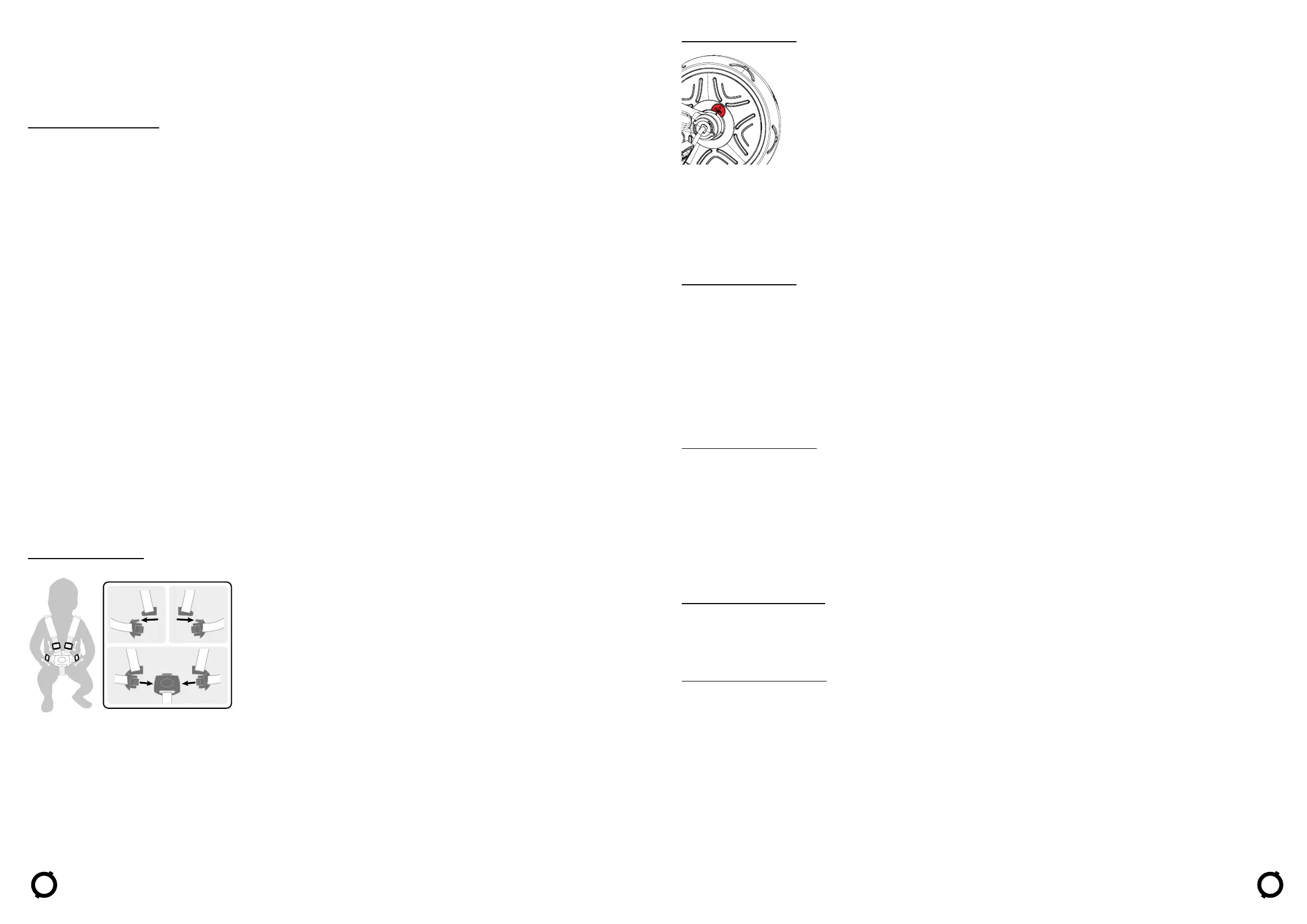
Secure your child on the infant trike:
• To buckle, slot the end of the shoulder strap to the end of the waist strap, do the same on both left and right sides.
• Then, insert both components to the buckle housing on the leg-between strap until you here a click.
Warning! Always fasten with the 5-point harness while using the trike with the seat on it.
Warning! Secure the child in the harness at all times.
How to operate the freewheel mode:
The front wheel has two modes of operation.
• Unlocked mode: when the pedals are turning independently from the front wheel.
• Locked mode: when the pedals and the front wheel are connected together and move as one.
To put the front wheel in Locked mode, you need to align the spot on the red button to the arrows on the inner hub; press the red button on the locked symbol side until you hear a click.
To put the front wheel in Unlocked mode, you need to align the spot on the red button to the arrows on the inner hub; press the red button on the unlocked symbol side until you hear a click.
Warning! Freewheel function is to be used only with the parent handle (Push bar).
Warning! Check that the push bar (parent handle) is locked in position before use.
Warning! Automatic freewheeling ensures the tricycle can be pushed safely while the child’s feet rest on the pedals without the pedals turning.
How to operate the parking devices:
To operate the rear wheels’ parking devices, you need to push the parking devices down by applying pressure with your foot on the parking bar (infant trike mode only) or directly on the parking devices
(other modes).You must always use both rear parking devices when you need to stop the tricycle from moving. The parking devices are locked, and the tricycle will remain stationary once you hear a click
after pushing down both parking devices.
To unlock the parking devices, you need to fully lift up the parking bar (infant trike mode only) or both parking devices (other modes) with your foot. The tricycle is mobile once you hear a click after pushing
up both parking devices.
The left parking device controls the left-hand side rear wheel, and the right parking device controls the right-hand side rear wheel. The parking bar for the infant trike mode controls the parking devices.
Warning! The parking bar of the parking system is only applicable for the infant trike mode.
Remove the parking bar before using the products in other modes.
WARNING! The two rear parking devices located on the rear wheels are NOT TO BE USED TO SLOW DOWN the tricycle. The rear parking devices put the tricycle in an immediate stationary
mode. The parking devices are not designed for other purposes. Using the two rear parking devices to slow down the tricycle will cause irreparable damage to the rear wheels’ mechanism
and must be avoided at all times.
Transform Infant trike to Guided trike (A-B)
• Press the red button at the bottom of the frame to remove the parent handle.
• Press the red button on the side of the middle column of the safety bar to release.
• Under the saddle, turn the knob securing the seat 90 degrees. Lift the seat off the saddle.
• Place the parent handle through the saddle’s hole and into the hole on the trike’s frame.
• In guided trike stage, the child will start to use the pedals. Ensure that his feet are resting correctly and flat on the pedals.
See below instructions on how to remove the parking bar from the rear wheels to use the product in Guided trike mode:
a) Unscrew the knobs at the end of the wheel assembly and remove both wheels with the parking bar from the trike’s frame.
b) Pull out the bar from the parking device. Repeat the operation for the other one.
c) To re-install, slide the wheel in the hexagon shaped hole and screw back the knob onto the wheel. Repeat the procedure for the other wheel. Make sure the parking devices do not touch the ground.
Transform Guided trike to Training trike (B-C)
• When the child is old enough to pedal, take off the push bar, and put the front wheel in locked mode to allow pedalling.
• Press the red button at the bottom of the frame to remove the parent handle.
• Remove the footrest by turning the knob 90 degrees, then press the spring-loaded button on the left-side of the saddle stem.
• You can store the footrest at the back of the seat by sliding it into its dedicated spot.
Transform Training trike to Balance bike (C-D)
• Unscrew the knob at the end of the wheel assembly. Place the wheel inside of the Trike frame. Slide the wheel in the hexagon shaped hole and screw back the knob onto the wheel. Repeat the
procedure for the other wheel. Make sure the parking devices do not touch the ground.
• Remove the pedals by pressing the pedal release buttons on the front wheel hub. Press the red buttons under the saddle to insert the pedals into the dedicated holes on the back of the saddle for
storage.
Warning! Protective equipment should be worn. Not to be used in traffic. Always wear safety equipment (helmet, elbow-pads, kneepads, gloves).
Braking for walking bike: The product can be braked with the feet. The child can stop moving by stopping walking/running. Please take care that your child can always stop from the speed
it produces and wears appropriate shoes.


 To Next Page
 Loading...