2. The default screen sleep me is ve seconds, users can connect to the mobile app to change
the screen sleep me before the clock automacally turns o.
3. The factory default seng of the watch is to monitor heart rate for 24 hours. Users can turn
this opon on or o from the general sengs in the mobile app interface.
HOW TO INSTALL THE APPLICATION
Scan the QR code or access the main app market to download and install gloryt.
Minimum device requirements: iOS 9.0 or higher; Android 4.4 or higher, Bluetooth 5.3
compable.
CONNECT TO THE DEVICE
Open the app, click on “Device” - “Add device” - “Select device”, click on the corresponding
model and follow the instrucons to connect, approve all permissions requested to ensure
proper performance of your smartwatch funcons.
Bluetooth connecon: aer successful pairing, the APP will automacally save the Bluetooth
address of the watch. When the APP is opened or operated in the background, it will
automacally search for and connect to your smartwatch.
Data synchronizaon: manually refresh on the main page of the APP to synchronize the data;
the watch can save the oine date of 7 days. The longer the data, the longer the synchronizaon
me. It will take no more than 2 seconds to synchronize the data. Aer synchronizaon, the
message “Synchronizaon completed” will appear.
Synchronized contacts: Log in to the Bluetooth terminal from the cell phone and open the
synchronized contacts.
MAIN FUNCTION INTERFACE
MAIN INTERFACE
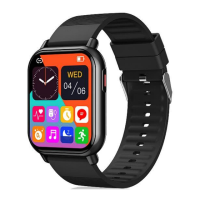
Main interface: The smartwatch has 5 main interfaces. In the main interface, press and hold for
two seconds. Aer it vibrates, you can switch the dial from le to right. Aer pairing and
connecng the app for the rst me, the watch will sync the phone's me and date. Enter custom
home page: enter “Market Sengs” in the APPLICATION to select dierent style home page.
BLUETOOTH CALLS
You can make or answer calls directly on the watch; the watch and cell phone will dial in real
me.


 To Next Page
 Loading...