1-20 In Brief
Power Outlets
The vehicle has 12‐volt accessory
power outlets which can be used to
plug in electrical equipment, such as
a cell phone or MP3 player.
The power outlets are located:
.
On the instrument panel below
the climate controls.
.
Inside the center floor console.
.
At the rear of the center floor
console.
.
In the rear cargo area.
To use the outlets, remove the
cover.
See Power Outlets on page 5‑8.
Sunroof
The ignition must be in ON/RUN or
ACC/ACCESSORY to operate the
sunroof and power sunshade. See
Retained Accessory Power (RAP)
on page 9‑18.
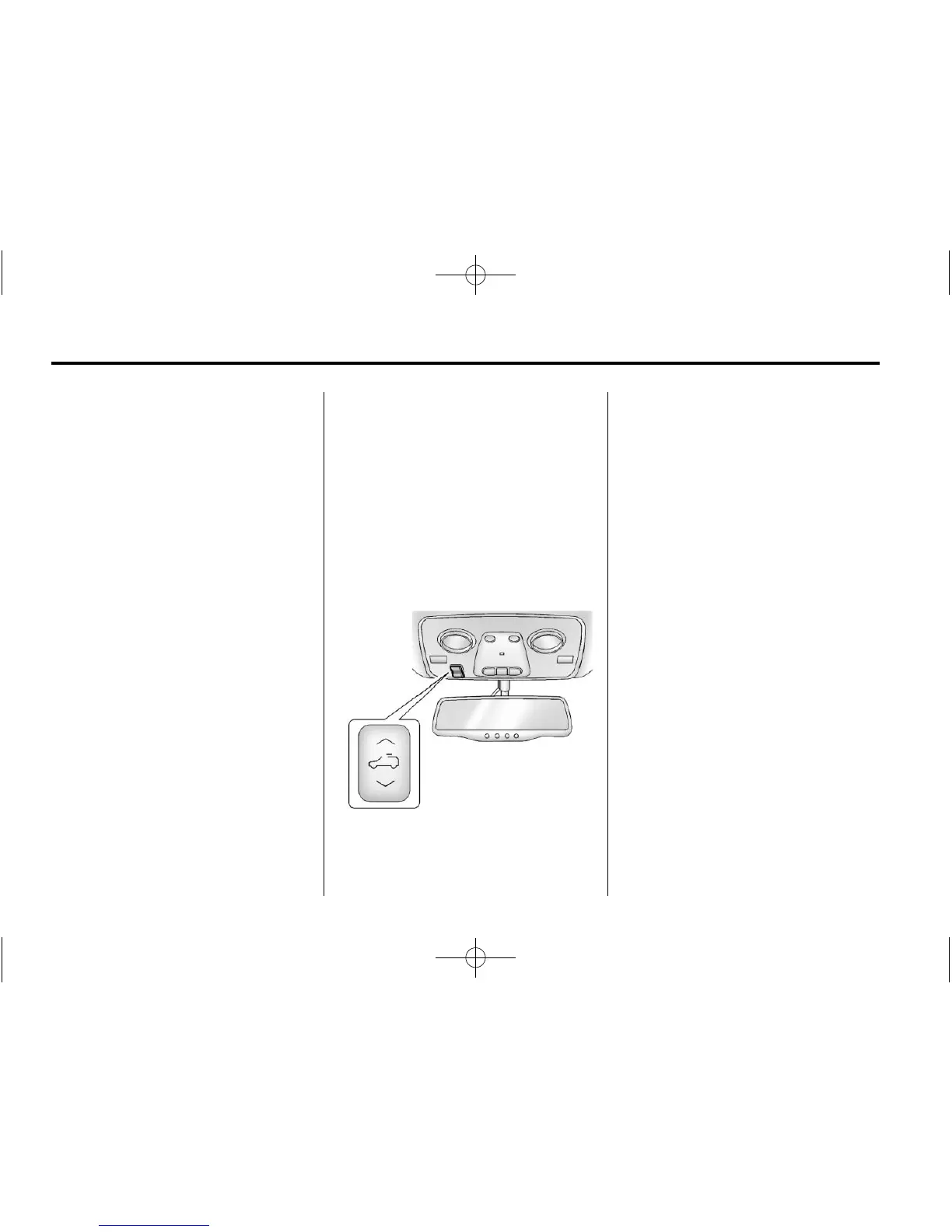
The vehicle may have a sunroof
over the front seats and a rear
sunroof over the second row seats.
The rear sunroof does not open.
The switch to operate the front
sunroof is on the headliner above
the rearview mirror.
Vent: Press the front or rear of the
switch to vent or close the sunroof.
Express-open/Express-close:
From the closed position, press
and release the rear or front of
the switch to express-open or
express-close the sunroof.
Manual Sunshade
The front sunshade must be
opened and closed manually.
To open the sunshade, press the
button on the sunshade handle to
release it and guide it back. To
close the sunshade, pull the
sunshade forward until it latches.
For more information see Sunroof
on page 2‑22.



 To Next Page