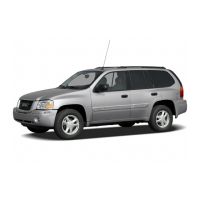
Getting to Know Your Envoy XUV
14
Air Inflator System (if equipped)
Locate the air
inflator unit
• The inflator unit
and an on/off
switch are locat-
ed behind an
access cover in
the rear compart-
ment on the driv-
er side of the
vehicle near the
tailgate.
• A 22-foot hose and three nozzle
adapters are located in the glove box.
Use the air inflator
• Open the access cover.
• Attach the appropriate nozzle adapter
to the end of the hose (if required).
• Attach that end of the hose to the
object you are inflating. Attach the
other end of the hose to the inflator
outlet.
• Press and release the on/off switch to
turn the air inflator on.
• An indicator light verifies that the
inflator is running.
• When inflation is complete, press and
release the on/off switch again.
• Remove the hose from the outlet
(load leveling will not operate when
the hose is attached to the outlet).
See Section 5 of your Owner Manual.
Four-Wheel Drive (if equipped)
Envoy XUV’s four-wheel drive system
rotary controls are located on the instru-
ment panel.
Shift into 4HI or A4WD
• Turn the knob to 4HI or A4WD. This
can be done at any speed except
when shifting from 4LO.
Shift into 2HI
• Turn the knob to 2HI. This can be
done at any speed except when shift-
ing from 4LO.
Shift into or out of 4LO
• With the ignition in RUN and the vehi-
cle stopped or moving less than 3
mph (4.8 km/h), shift the transmission
into Neutral.
• Turn the knob to 4LO or 2HI, 4HI or
A4WD, preferably with the vehicle
moving 1 to 2 mph (1.6 to 3.2 km/h).
• Wait for the indicator lamp to stop
flashing and remain illuminated; then
shift your transmission into gear.



 To Next Page
 Loading...