How to set up the TV-Streamer+
1. 2.
Before you start:
Check your hearing aids are paired with the TV-Streamer+.
If not, go to the section “How to pair hearing aids to TV-Streamer+”.
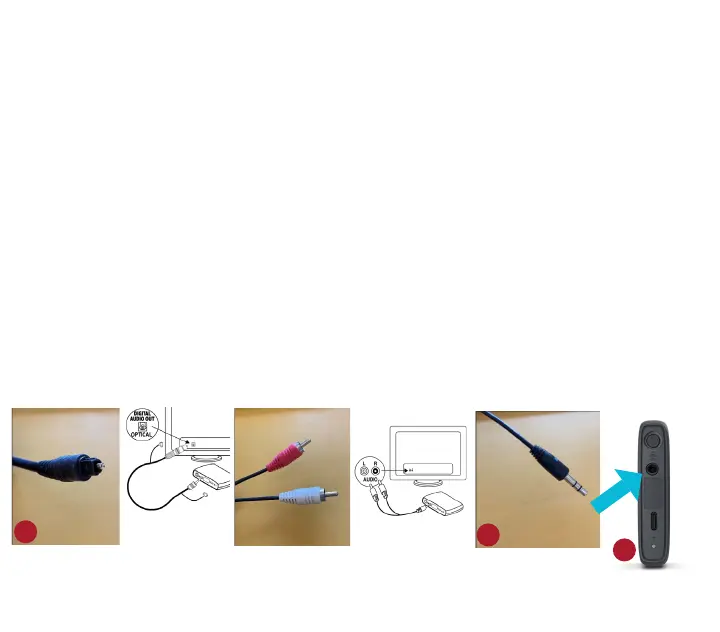
1. Two cables in the box: A digital optical mini-TOSLINK connector
(image 1) and an analog stereo 3.5 mm mini-jack to L/R RCA cable
(image 2), each with 3.5 mm plug (image 3) on the other end.
2. The TV-Streamer+ has only one 3.5 mm input (image 4) which
accepts either analog or digital input.
3. The TV-Streamer+ recognizes which cable is inserted.
3.
4.


 To Next Page